An eSIM can make a Japan trip much easier, but it is not automatically the best choice for every traveler. This guide explains how to check your phone, understand activation timing, choose an appropriate data plan, and avoid accidental roaming charges—without ranking providers we have not personally tested.
1. Do you need an eSIM in Japan?
Japan has Wi-Fi at many airports, hotels, stations, cafés, and other public places. That does not mean you will have a reliable connection throughout the day. You may need mobile data while walking between stations, checking a platform change, translating a sign, opening a hotel message, showing a reservation, or finding the correct building entrance.
An eSIM is useful because it adds a travel data plan digitally without requiring you to remove your usual physical SIM. For a solo traveler with a compatible unlocked phone, it is often the simplest option. A family or group that wants several devices online at once may prefer pocket Wi-Fi, while a traveler with a phone that does not support eSIM may need a physical SIM.
Choose the connection that matches your group—not the trendiest product
Start with eSIM for one compatible phone, consider pocket Wi-Fi for a family sharing one connection, and use a physical SIM when eSIM is unavailable or unsuitable for your device.
2. eSIM vs physical SIM vs pocket Wi-Fi
If the phone supports eSIM and is unlocked.
If the phone is unlocked and accepts the card.
If the group will usually stay together.
| Question | eSIM | Physical SIM | Pocket Wi-Fi |
|---|---|---|---|
| Setup | Install digitally before or after arrival | Insert or swap a card | Pick up or receive a separate device |
| Extra device to carry | No | No | Yes, plus its charger |
| Easy for several people | Limited to one phone unless hotspot use is allowed | Limited to one phone unless hotspot use is allowed | Usually the easiest option for a family or group |
| Japanese phone number | Usually no; most tourist plans are data-only | Sometimes; many tourist physical SIMs are also data-only | No |
| Keep your home SIM installed | Usually yes on a dual-SIM phone | Not if the travel SIM must replace your only physical SIM | Yes |
| Main inconvenience | Compatibility and activation mistakes | SIM swapping and keeping the tiny card safe | Battery, pickup, return, and staying together |
| Best fit | Solo travelers and independent couples | Phones without eSIM support | Families, groups, and multiple devices |
A pocket Wi-Fi connection is shared, so everyone must remain reasonably close to the device. An eSIM or physical SIM keeps one phone independently connected. Before choosing any option, check whether tethering is permitted and whether the plan includes only data or also a phone number, voice calls, and SMS.
3. Do you need ID to buy an eSIM for Japan? (2026 update)
Not every tourist data-only eSIM automatically requires passport verification
Individual providers may still require ID or eKYC, so always check their current rules before buying.
Last checked: September 27, 2026
Japan’s April 1, 2026 change tightened the permitted methods for non-face-to-face identity checks where the mobile-phone law already requires verification. In the Ministry of Internal Affairs and Communications material we checked, data-only SIMs were still described as outside that statutory requirement, while extending mandatory verification to them remained under consideration.
A Japanese carrier, MVNO, airport counter, or international eSIM seller may still request a passport, selfie, or other eKYC under its own current policy. Check the seller’s requirements before paying. Buying before departure does not guarantee a universal legal exemption, because each provider can set its own verification rules.
For the primary record, see the official e-Gov public-comment result and the MIC working-group materials linked there. Those materials distinguish the April 2026 verification-method change from the still-discussed question of whether data-only SIM contracts should become mandatory verification targets.
Buying before you fly is still convenient: you have time to confirm compatibility, complete any provider-specific verification, save the setup instructions, and contact support before travel day.
4. Check your phone before buying
This is the step that prevents the most expensive mistake: buying a plan that your device cannot use.
- Confirm eSIM support for your exact model and sales region. A phone family may support eSIM in one country but use different hardware in another.
- Check iPhones purchased in mainland China especially carefully. Regional models can have different eSIM support, and some do not support it at all. Newer exceptions may exist, so verify the exact model on Apple’s official travel eSIM page before buying.
- Confirm that the phone is carrier-unlocked. On iPhone, open Settings → General → About and check for “No SIM Restrictions” beside Carrier Lock. Android procedures vary; ask the carrier that sold the phone if you are unsure.
- Check the provider’s compatibility tool. A visible “Add eSIM” menu is helpful, but the provider should still confirm the model, operating system, and supported network bands.
- Know where to find IMEI and EID. A provider may request IMEI 2 or EID during setup. Find them in the phone’s About or Status screen, but do not post these identifiers publicly.
- Understand dual-SIM behavior. Check whether your phone can keep the home line active while using the Japan eSIM for data.
- Confirm hotspot or tethering rules. Device support does not guarantee that the travel plan permits sharing.
The device must also be unlocked and accepted by the provider. Some carriers, phone variants, and dual-SIM combinations have additional restrictions.
5. When should you install and activate it?
Travelers often use “activate” to describe several different actions. Treat these as separate steps:
Always check when your plan’s validity begins before installing it.
- 1Purchase the plan
You receive an app instruction, QR code, activation link, or manual setup details.
- 2Install the eSIM profile
The phone downloads the digital SIM. Installation may require a stable Wi-Fi connection.
- 3Enable the travel line
The new line is switched on in the phone’s mobile-network settings.
- 4Select it for mobile data
The phone is told to use the Japan eSIM—not the home line—for internet access.
- 5Turn on data roaming if required
Many travel eSIMs connect through a roaming partner and need this setting. Follow the provider’s instructions rather than guessing.
Some plans start when the eSIM is installed or activated; others start only when it first connects to a supported network in Japan. Always read the provider’s activation policy before installing it.
6. How much data do you need?
There is no honest single number for every traveler. Trip length, video use, photo backups, social media, hotspot use, and app updates matter more than the label “tourist.” Choose by behavior:
| Use level | Typical activities | What increases usage |
|---|---|---|
| Light | Google Maps, messaging, occasional restaurant searches, and reservation checks | Leaving automatic photo backup or app updates on |
| Normal traveler | Maps, translation, messaging, social browsing, attraction research, and occasional photo uploads | Frequent Instagram or cloud uploads |
| Heavy | Video streaming, video calls, frequent uploads, remote work, gaming, or hotspot use | Sharing data with a laptop or several people |
Maps and text messages can be relatively light. Video, high-resolution uploads, cloud backup, software updates, and tethering can consume data quickly. Check whether “unlimited” plans have a fair-use threshold or reduce speed after a certain amount of high-speed data.
7. What network will you use in Japan?
The name on the eSIM website is not necessarily the company operating the radio towers. A travel eSIM may connect through a Japanese partner network such as NTT DOCOMO, au by KDDI, or SoftBank. Japan also has a fourth major mobile-network operator, Rakuten Mobile. The local network—and the provider’s agreement with it—can affect coverage, available speeds, 4G or 5G access, and performance during congestion.
- Look for the plan’s listed Japan network, not only the eSIM brand name.
- Check coverage for rural areas, islands, mountains, and long intercity routes on the local network’s map.
- Confirm whether the plan uses one network or can switch between partners.
- Read any speed cap, fair-use, and network-management policy.
- Remember that tunnels, underground areas, crowded events, buildings, and remote terrain can affect any network.
Official coverage information is available from NTT DOCOMO, au, SoftBank, and Rakuten Mobile. A coverage map is an estimate, not a promise of indoor signal or a specific speed.
8. Data-only eSIMs do not come with a Japanese phone number
Most tourist eSIMs are data-only. They give you mobile internet, but usually no Japanese voice line and no number that can receive SMS. This is easy to overlook until an app or booking asks for a verification code.
- Mobile data: Off
- Data roaming: Off
- Check call, SMS, and voicemail charges
- Mobile data: On
- Data roaming: On only if the provider requires it
- No Japanese number on most tourist plans
- Japan-only account registration: some payment, delivery, and reservation services require a Japanese mobile number. For example, PayPay’s official help page says overseas phone numbers cannot be used and that a Japanese mobile number capable of receiving SMS is required.
- Codes sent to your home number: a bank, airline, or hotel may send a one-time code to the number already registered to your account. That message will not move to the data-only Japan eSIM.
- Internet calls still work: WhatsApp, LINE, FaceTime, and similar services can work over the eSIM’s data connection, subject to each app’s account requirements.
If your phone supports dual SIM, you may keep the home line enabled for calls or SMS while selecting the Japan eSIM for mobile data. First confirm that your home carrier supports receiving messages abroad and check any roaming, call, voicemail, or SMS charges. Turning data roaming off on the home line prevents mobile-data use, but it does not necessarily block all other roaming charges.
9. How to set up an eSIM on iPhone and Android
Menu wording varies by operating-system version, phone maker, and provider. Keep the provider’s own instructions open while you work.
General iPhone flow
- 1Buy the plan and save the setup details
Keep the QR code or activation information somewhere you can access without the new eSIM.
- 2Open Settings → Cellular/Mobile Service → Add eSIM
Use the provider’s QR code, app, link, or manual details.
- 3Label the new line “Japan”
A clear label helps prevent you from selecting your home line for travel data.
- 4On arrival, turn on the Japan line
Select it under Cellular Data or Mobile Data.
- 5Check roaming and data switching
Enable Data Roaming for the Japan line only when the provider requires it. Consider disabling cellular-data switching so the phone does not fall back to the home line.
General Android flow
On a Google Pixel, the usual path is Settings → Network & internet → SIMs → Add SIM → Set up an eSIM. Samsung and other Android manufacturers use different menu names. After installation, select the Japan eSIM as the preferred mobile-data SIM and follow the provider’s APN and roaming instructions.
Many QR codes are single-use. First try airplane mode, restarting the phone, reselecting the data SIM, checking roaming, and confirming the APN. Delete the eSIM only if the provider tells you it can be reinstalled.
10. Common eSIM mistakes in Japan
| Mistake | Why it causes trouble | Safer approach |
|---|---|---|
| Starting the plan before the trip | The validity period may begin before you land | Read the exact activation trigger before installation |
| Using the home SIM for mobile data | International roaming charges can be very high | Select the Japan eSIM for data and disable roaming on the home line |
| Leaving travel-line roaming off | Some travel eSIMs cannot connect without it | Follow that provider’s roaming instruction |
| Ignoring the APN | The line may show signal but have no internet | Enter the provider’s APN exactly when required |
| Showing the QR code only on the same phone | You may have nothing for the camera to scan | Use the provider app or link, print it, or display it on another device |
| Deleting the eSIM | A single-use profile may not reinstall | Contact support before removing it |
| Assuming hotspot use is included | The plan may block tethering or impose a separate limit | Check the hotspot policy before buying |
| Assuming the eSIM includes a phone number | Most tourist plans are data-only, so they cannot receive verification texts from apps, hotels, banks, or airlines | Check number and SMS support before buying, and keep access to the number registered with important accounts |
- 1Is the Japan eSIM selected for mobile data?
- 2Is Data Roaming on if the provider requires it?
- 3Does the APN exactly match the provider’s instructions?
- 4Turn airplane mode on and off, then restart the phone
Still offline? Contact the provider. Do not delete the eSIM unless support confirms it can be reinstalled.
11. Should you buy before arriving in Japan?
For most first-time visitors, buying before departure is easier. You can confirm compatibility, save the instructions, contact support in your own time zone, and avoid making a purchase while tired at the airport. If the activation policy permits it, install the profile on reliable Wi-Fi at home and leave the travel line off until arrival.
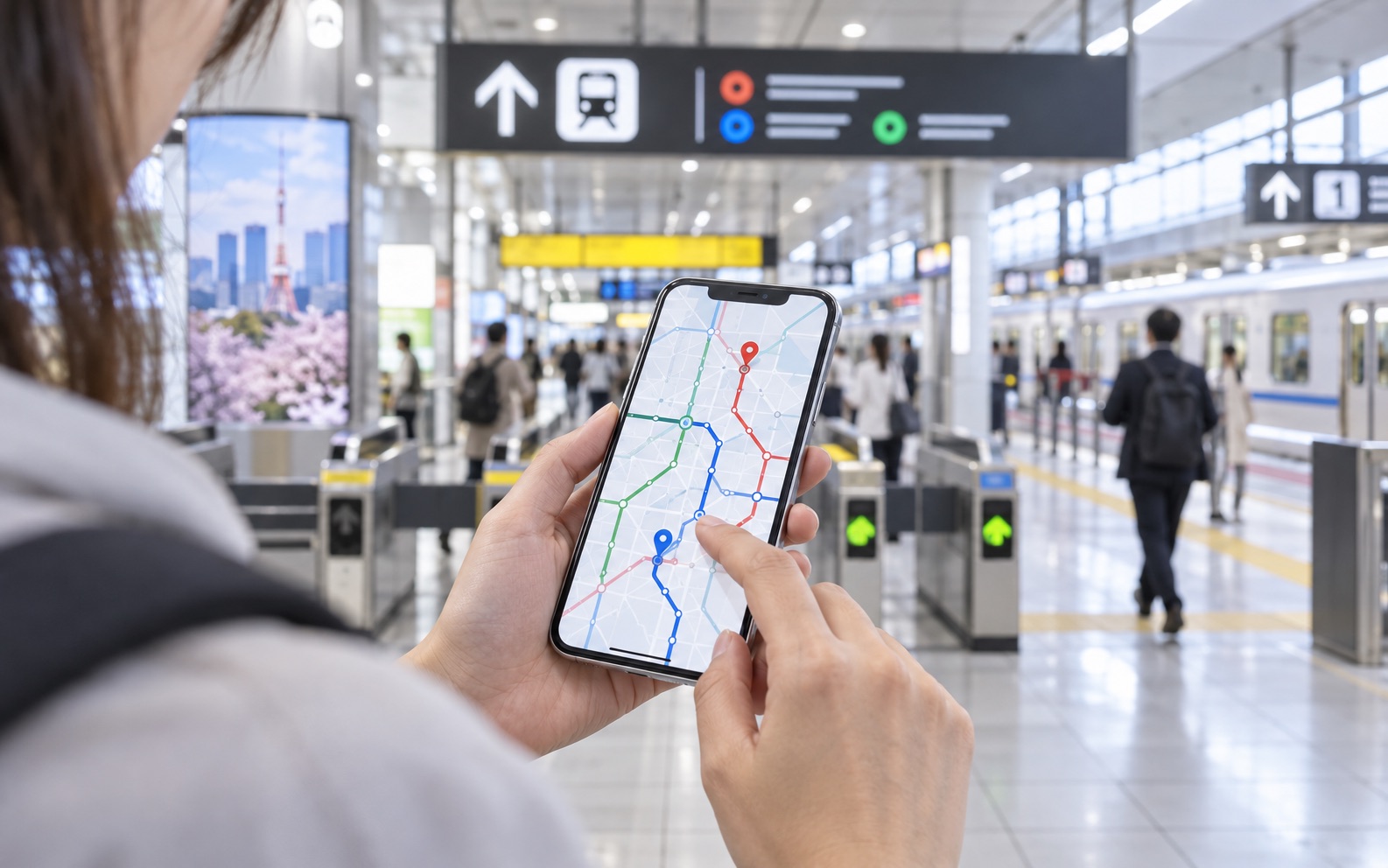
Before boarding, save screenshots of the installation instructions, APN, support contact, order number, and activation policy. Keep the QR code available on paper or a second device. Airport Wi-Fi is a useful backup, but mobile data that is ready on arrival makes it easier to find the correct train, hotel entrance, and reservation.
Set up your internet connection before you leave home. Tokyo airports have Wi-Fi, but having mobile data ready makes finding your train, hotel, and reservations much easier after arrival.
12. Quick FAQ
Do I need ID to buy an eSIM for Japan?
It depends on the provider and plan. We did not find an official MIC source establishing a blanket April 1, 2026 passport requirement for every data-only SIM or eSIM bought inside Japan. Official materials say data-only SIM identity verification remained under consideration, although individual carriers and sellers may require a passport or eKYC under their own policies. Check the provider before paying.
Can I use PayPay, Uber Eats, or restaurant reservation apps with a data-only eSIM?
You can use their internet features, but account registration is a separate issue. PayPay officially requires an SMS-capable Japanese mobile number and does not accept overseas numbers. Uber Eats and restaurant platforms set their own current account and verification requirements, so sign in and test the service before travel. A data-only eSIM cannot supply a Japanese number or receive SMS.
Can I use WhatsApp with a Japan eSIM?
Yes. A data connection can carry WhatsApp messages and calls. Installing a travel eSIM does not by itself change the number registered to your WhatsApp account.
Can I keep my original phone number?
Usually yes if your phone supports dual SIM and you leave the home line installed. Select the Japan eSIM for mobile data and check your home carrier’s charges for incoming calls, outgoing calls, voicemail, and SMS while abroad.
Does an eSIM work on the Shinkansen?
It can use mobile data wherever its Japanese partner network has coverage. Expect possible interruptions in tunnels, remote areas, or congested sections. Do not treat continuous high-speed service as guaranteed.
Can I use Google Maps?
Yes. Maps, transit searches, walking directions, and place information work through the eSIM’s data connection. See our Japan travel apps guide for the settings Aya changes before a trip.
Do I need Data Roaming turned on?
Many travel eSIMs require it because they connect through a roaming partner, but not every plan works the same way. Follow the provider’s instructions and enable roaming only on the travel line when required.
Can I make normal phone calls?
Only if the plan includes a phone number and voice service. Many tourist eSIMs are data-only, although internet calling apps can still work over data.
Can I share one eSIM with my family?
The eSIM profile normally belongs on one device. You may be able to share its data by hotspot if both the phone and plan allow tethering. For several people who need constant access, pocket Wi-Fi may be simpler.
What should I do if it shows signal but no internet?
Confirm that the Japan line is enabled and selected for mobile data, then check Data Roaming, the APN, airplane mode, and the provider’s network-status page. Restart the phone before deleting anything.
Continue your arrival setup
- Buy a Suica from an English ticket machine for trains and everyday payments.
- Set up Google Maps, NAVITIME, and translation apps before leaving home.
- Prepare the Tokyo Disney Resort App if Disney is on your itinerary.
- Understand Japan’s tax-free shopping rules before making large purchases.
iPhone compatibility, carrier-lock checks, dual-SIM behavior, and travel setup were checked against Apple’s official guides to using eSIM while travelling and setting up eSIM on iPhone. Pixel setup, dual-SIM limitations, and device identifiers were checked against Google’s official guides to using dual SIMs, carrier-unlocked Pixel phones, and IMEI and EID numbers.
The identity-verification section is based on the official e-Gov record for the MIC ordinance and its published working-group materials. Those primary sources confirm the April 1, 2026 change to non-face-to-face verification methods for covered mobile-phone contracts, while describing mandatory verification for data-only SIM contracts as a matter under consideration—not a blanket rule already applying to every tourist eSIM. Provider-specific requirements may still apply.
Japanese network references link to the official coverage information from NTT DOCOMO, au, SoftBank, and Rakuten Mobile. PayPay’s phone-number requirement was checked against PayPay’s official help page. This is a neutral beginner’s research guide, not a tested provider ranking. Device support, plan terms, ID requirements, activation triggers, roaming requirements, APN settings, coverage, and prices can change; confirm them directly with the provider before purchase.