Sushiro Yaechika is an easy conveyor-belt-sushi experience for travelers once you understand its two tickets and self-service screens. This branch is outside the JR ticket gates in the Yaesu underground shopping area near Tokyo Station. The photos below show the complete walk-in process: finding the restaurant, taking a waiting ticket, receiving a seat number, ordering in English, and paying at the self-checkout.
Start with our full guide to Japan’s major conveyor-belt sushi chains to compare Sushiro, Kura Sushi, Hama Sushi, and Kappa Sushi before following this branch-specific photo guide.
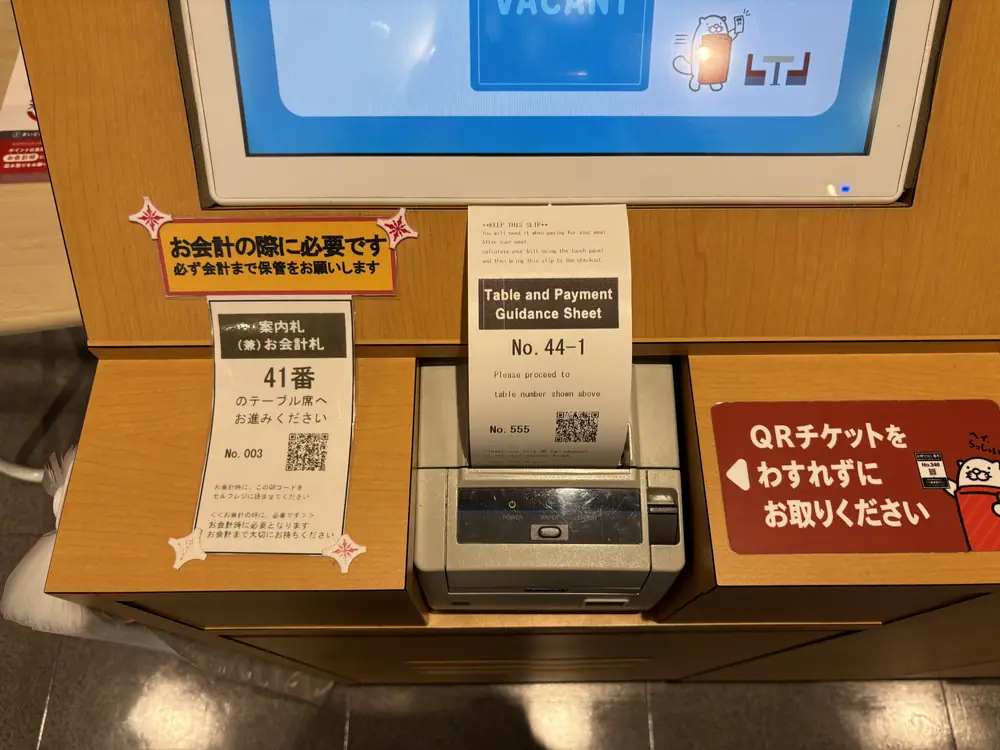
The first has your three-digit waiting number. After that number is called, scan its barcode to receive a second slip showing your table or counter seat. Keep the seat/payment slip until you have paid.
1. The quick answer
Ticket → number → seat → order → pay
- Find Sushiro Yaechika outside the JR gates.
- Use the reception machine and tap Get Ticket.
- Enter your party details and keep the printed waiting ticket.
- Watch the monitors until your three-digit number is called.
- Scan the ticket barcode and keep the newly printed seat/payment slip.
- Go to the table or counter number shown and order from the English touchscreen.
- When finished, select Call Staff / Check Out, then confirm the bill.
- Take the seat/payment slip to the self-checkout and scan its barcode.
2. Where is Sushiro near Tokyo Station?
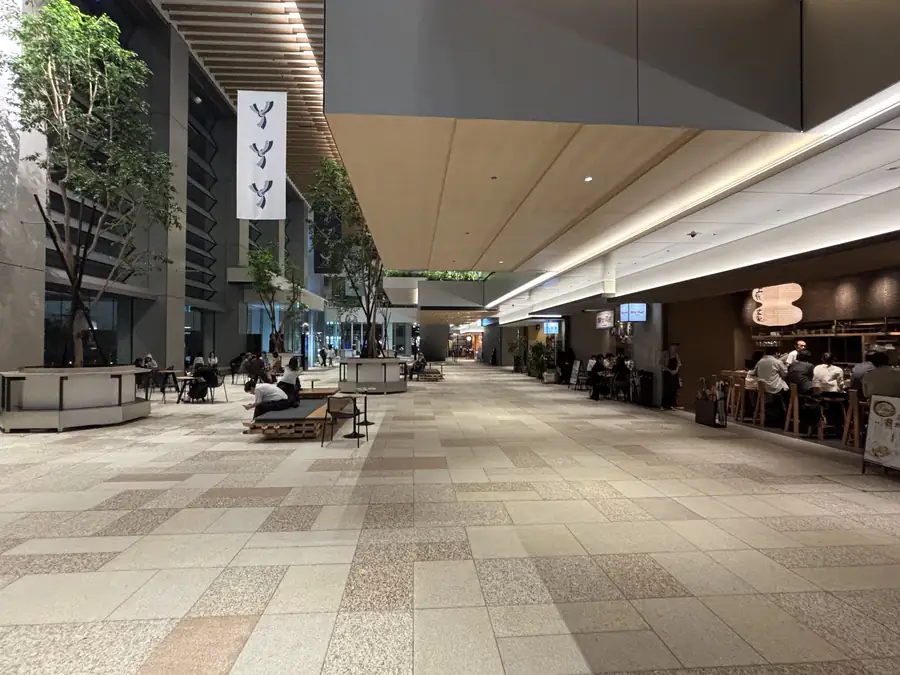
This guide uses Sushiro Yaechika in the Yaesu Underground Shopping Mall. It is on the South 1 side of Yaechika and is outside the paid JR station area, so you do not need a train ticket to visit.
| Official address | Yaesu Underground Shopping Mall South 1, 2-1 Yaesu, Chuo City, Tokyo |
|---|---|
| Walk from Tokyo Station | About 1 minute from the Yaesu side |
| Hours checked October 2, 2026 | Monday–Friday 11:00–22:30; weekends and holidays 10:30–22:30 |
| Last order | 15 minutes before closing |
| Seating | 183 seats listed by Yaechika |
| Plate prices | From ¥150 at this branch; prices and campaigns can change |
2-1 Yaesu, Chuo City, Tokyo
3. How to get there from Tokyo Station
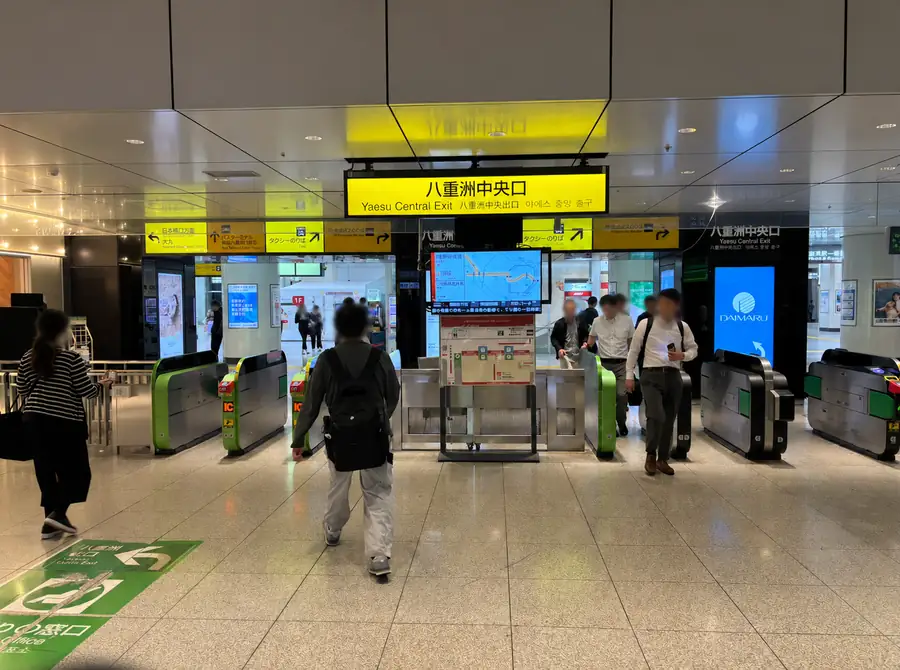
- 1Leave through Yaesu Central Exit
Follow the yellow signs and pass through the JR ticket gates. The restaurant is not inside the paid train area.
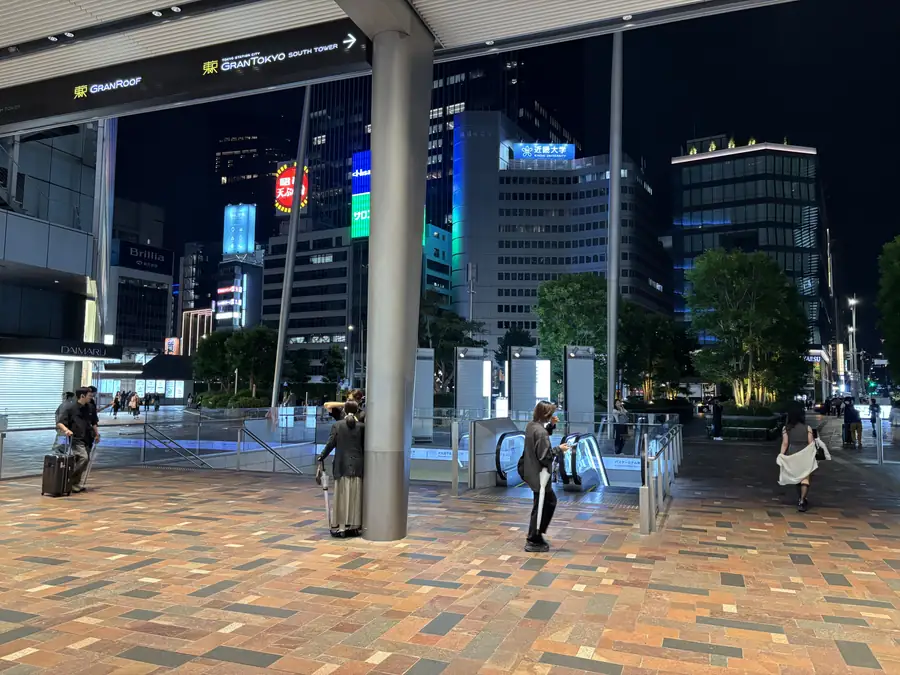
- 2Turn left after the gates
Enter the Yaesu-side concourse and go down toward the underground shopping area.
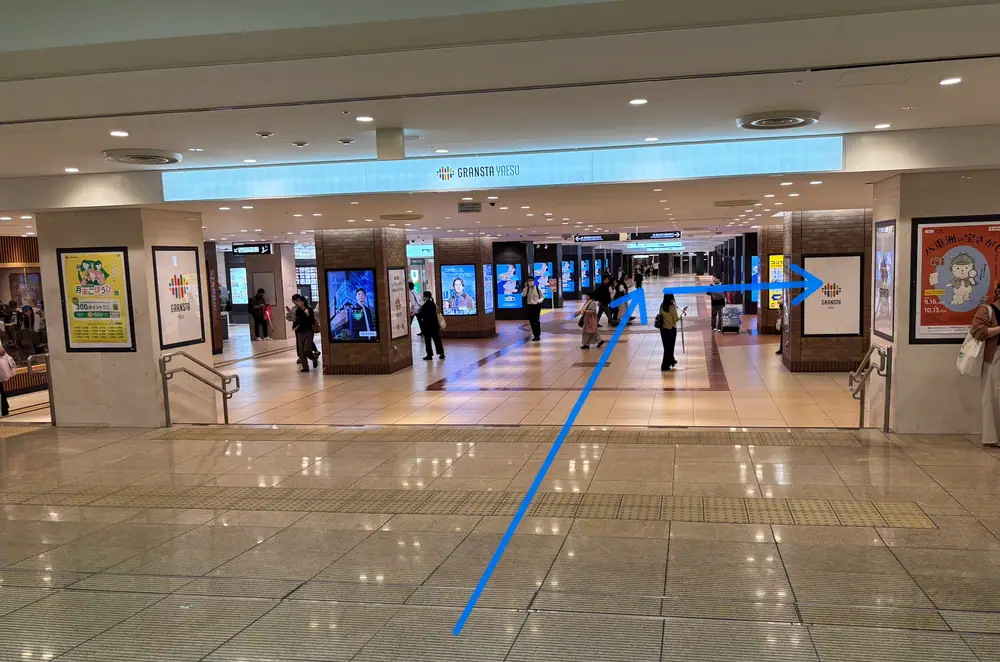
- 3Walk through Gransta Yaesu
Continue underground. Look for the Gransta Yaesu entrance shown below.
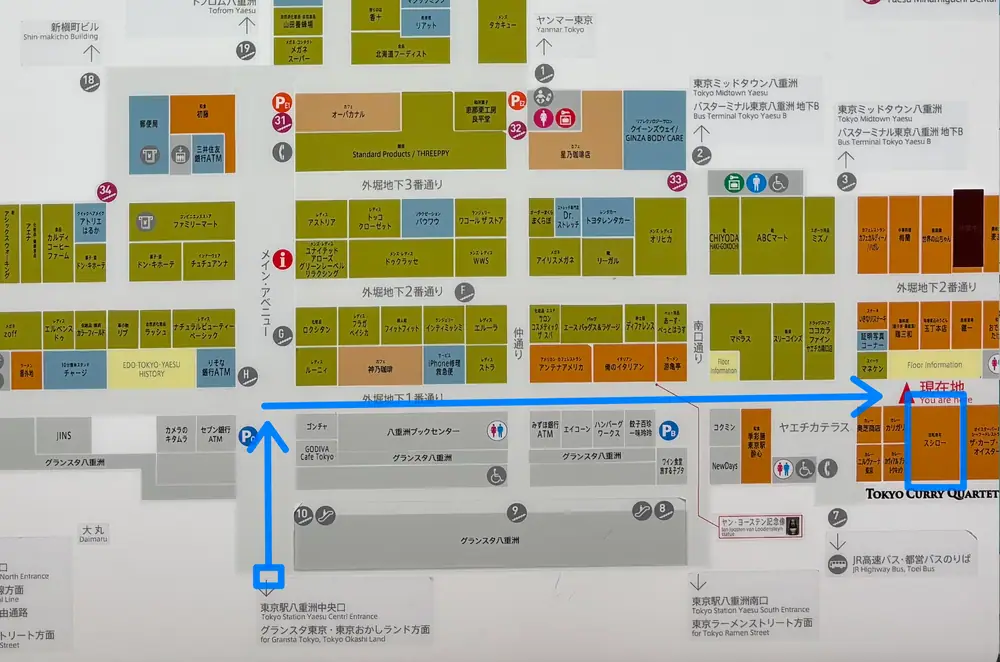
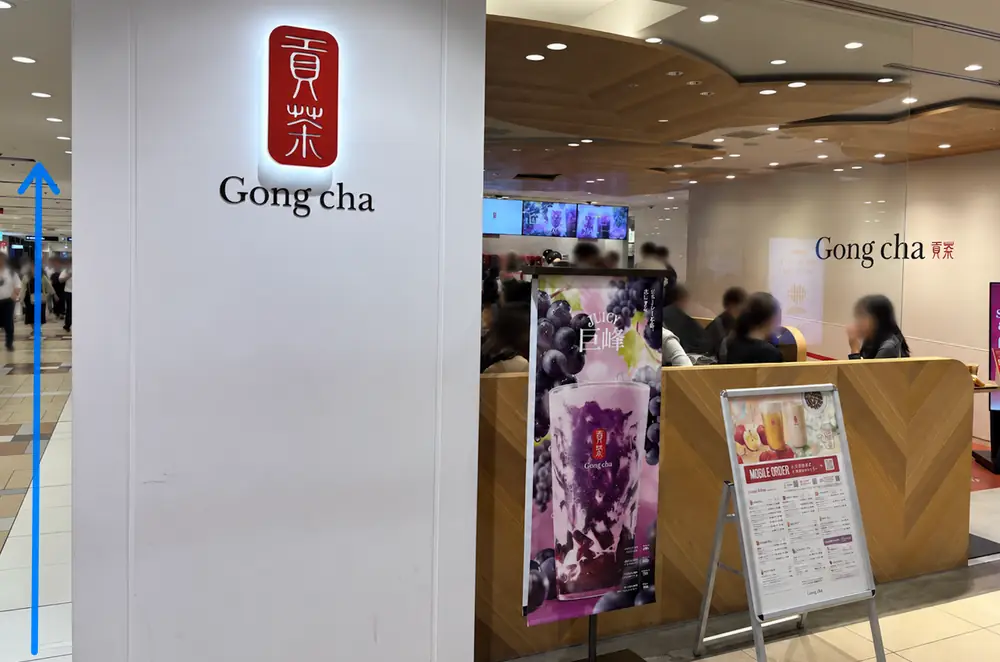
- 4Turn at Gong cha, then continue straight
Gong cha is the easiest landmark in this photo route. Turn so the shop is on your right, then follow the blue arrow straight toward Sushiro.
4. Get a waiting ticket
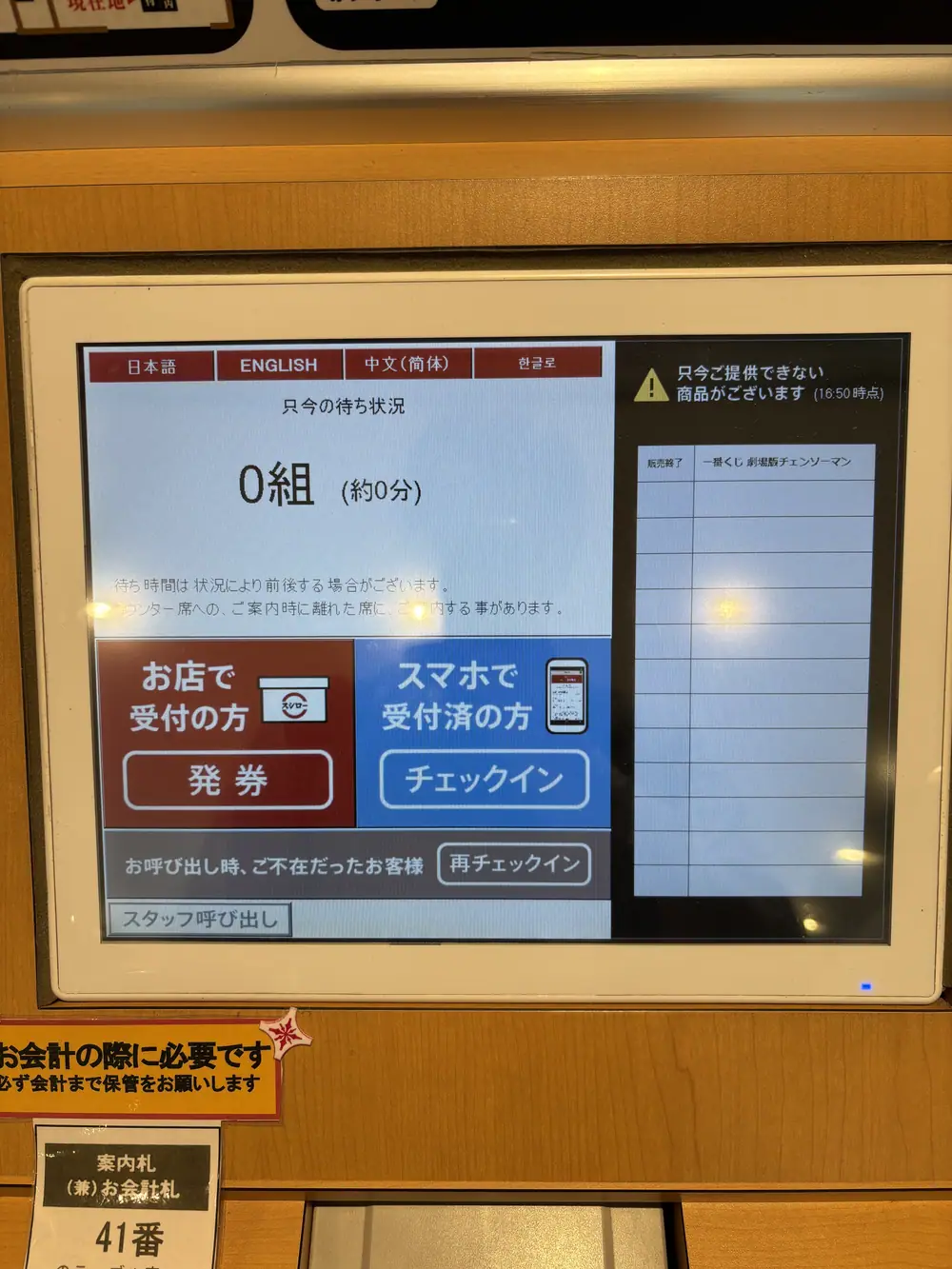
At the restaurant entrance, the reception screen shows the approximate number of parties ahead and the estimated wait. The interface may change, but the walk-in flow is straightforward.
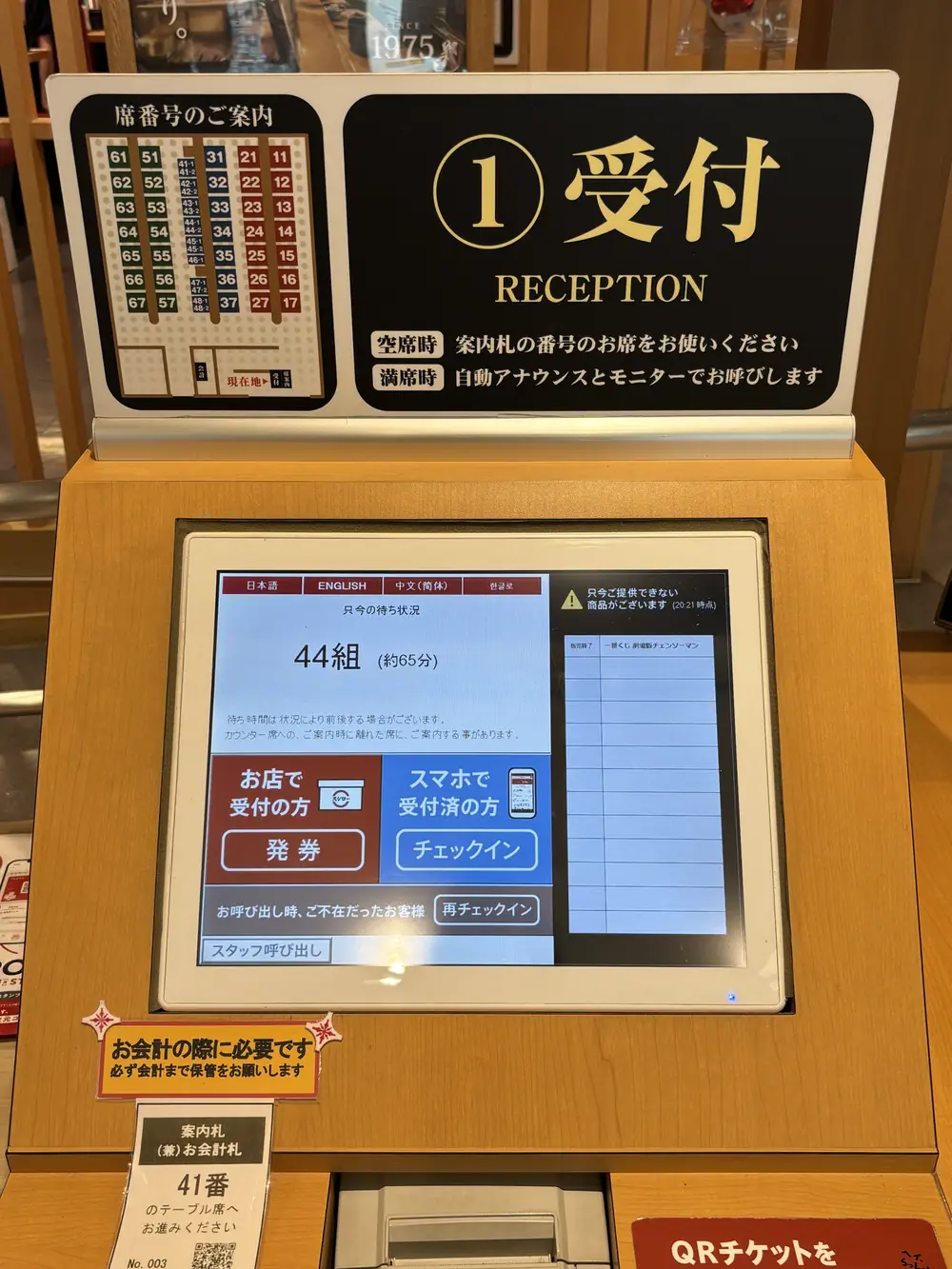
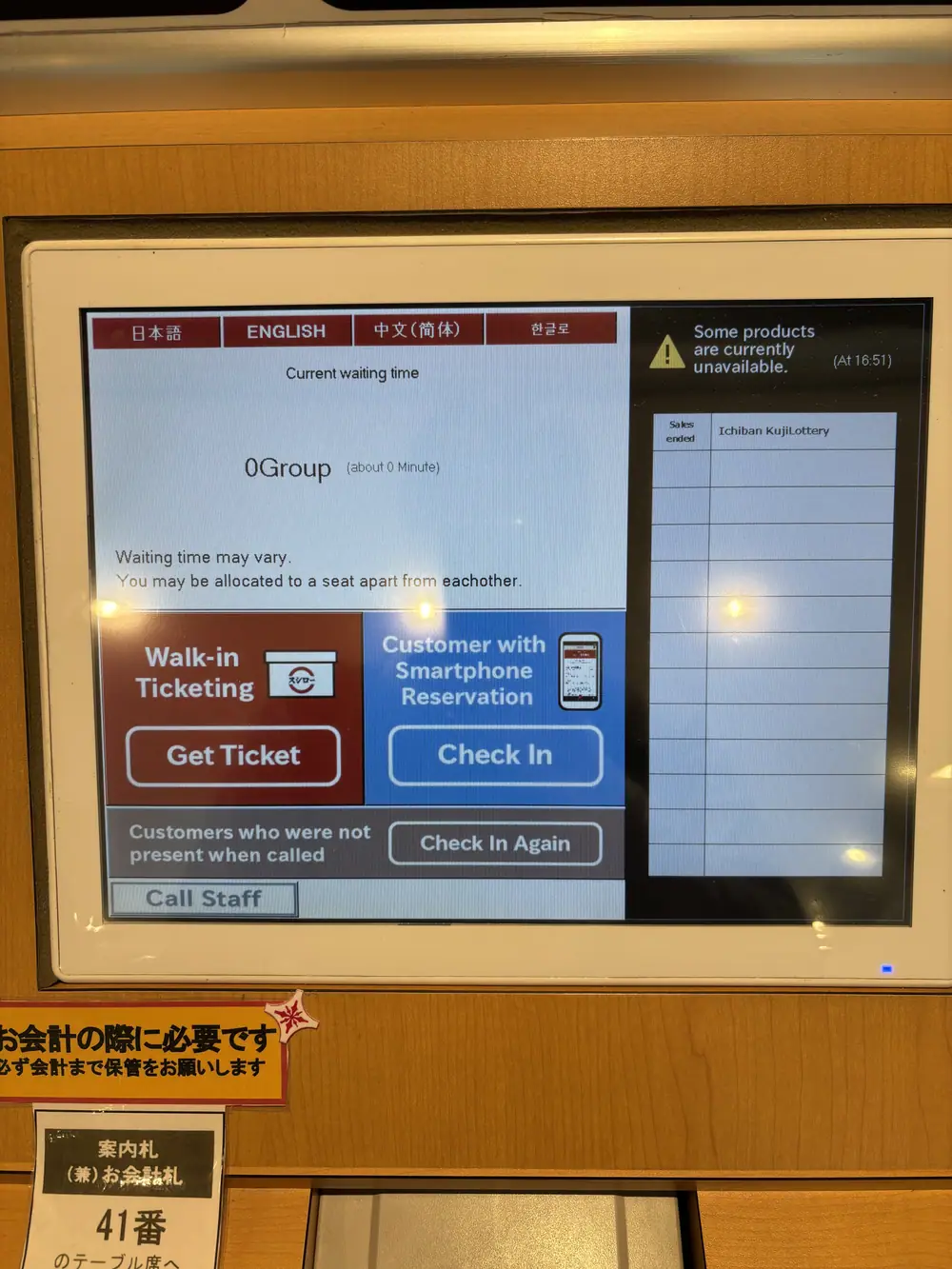
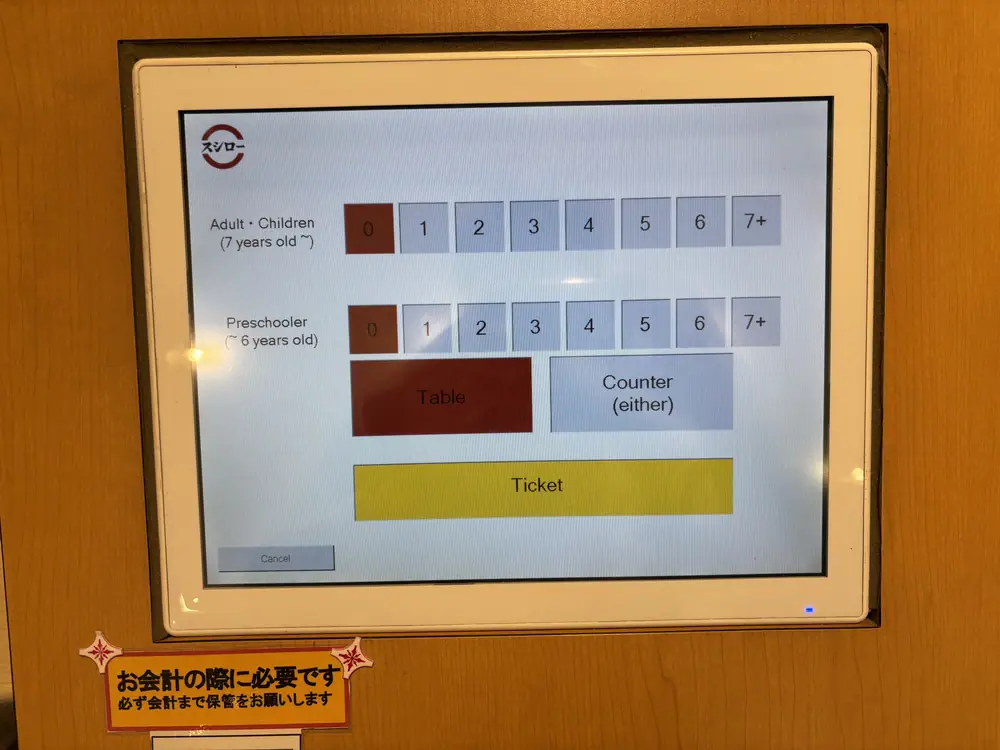
The machine prints a ticket with a three-digit waiting number. If parties are ahead of you, keep the ticket and wait near the entrance where you can see or hear the call screens.
5. Watch the two call screens
The monitors show which waiting number is next and which numbers are currently being called. Announcements were made in Japanese and English during Aya’s visit, but the restaurant can be noisy, so watch the numbers rather than relying only on the audio.
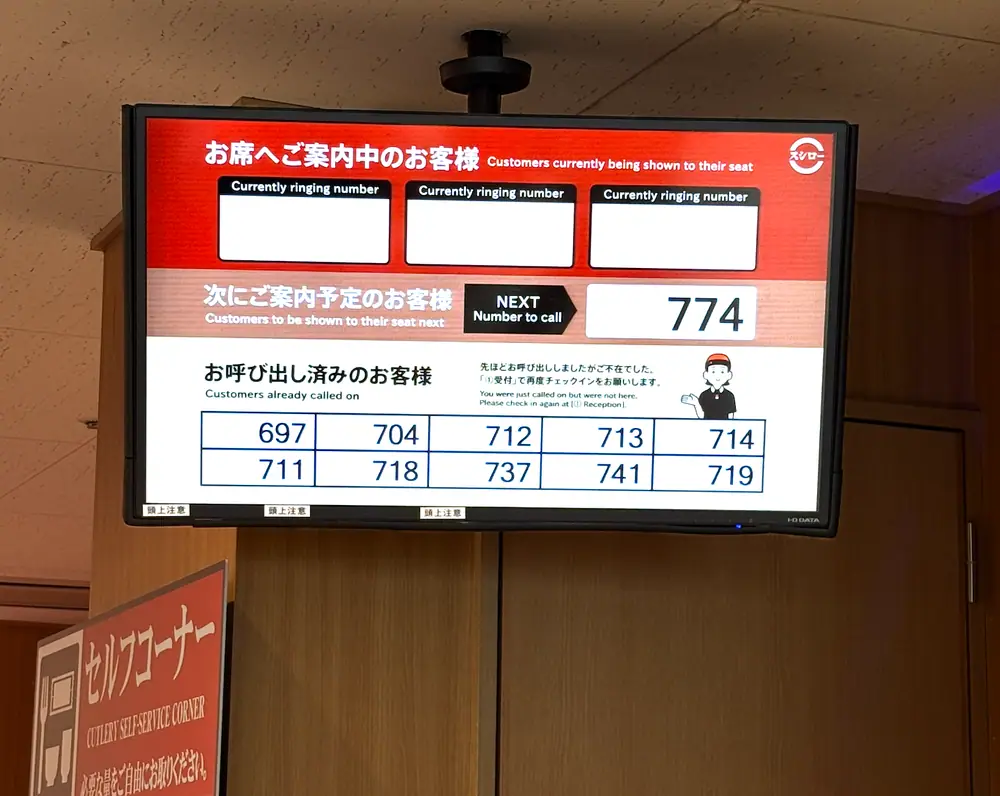
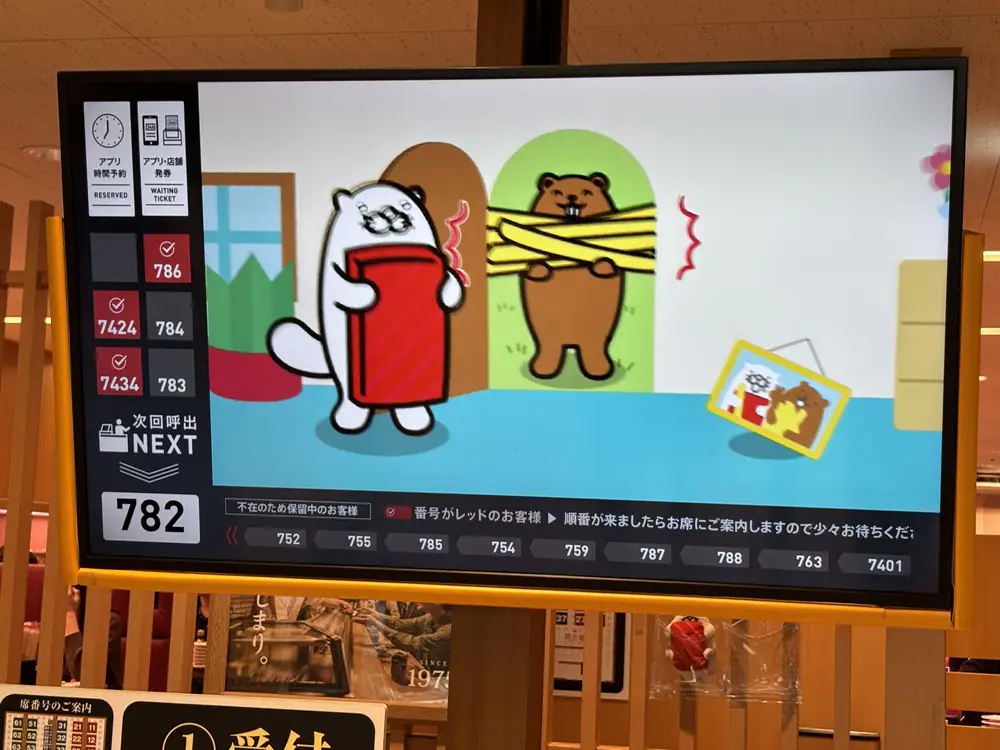
When your number is called, scan the barcode printed on the waiting ticket at the machine. It will issue a new slip with your table or counter seat number.
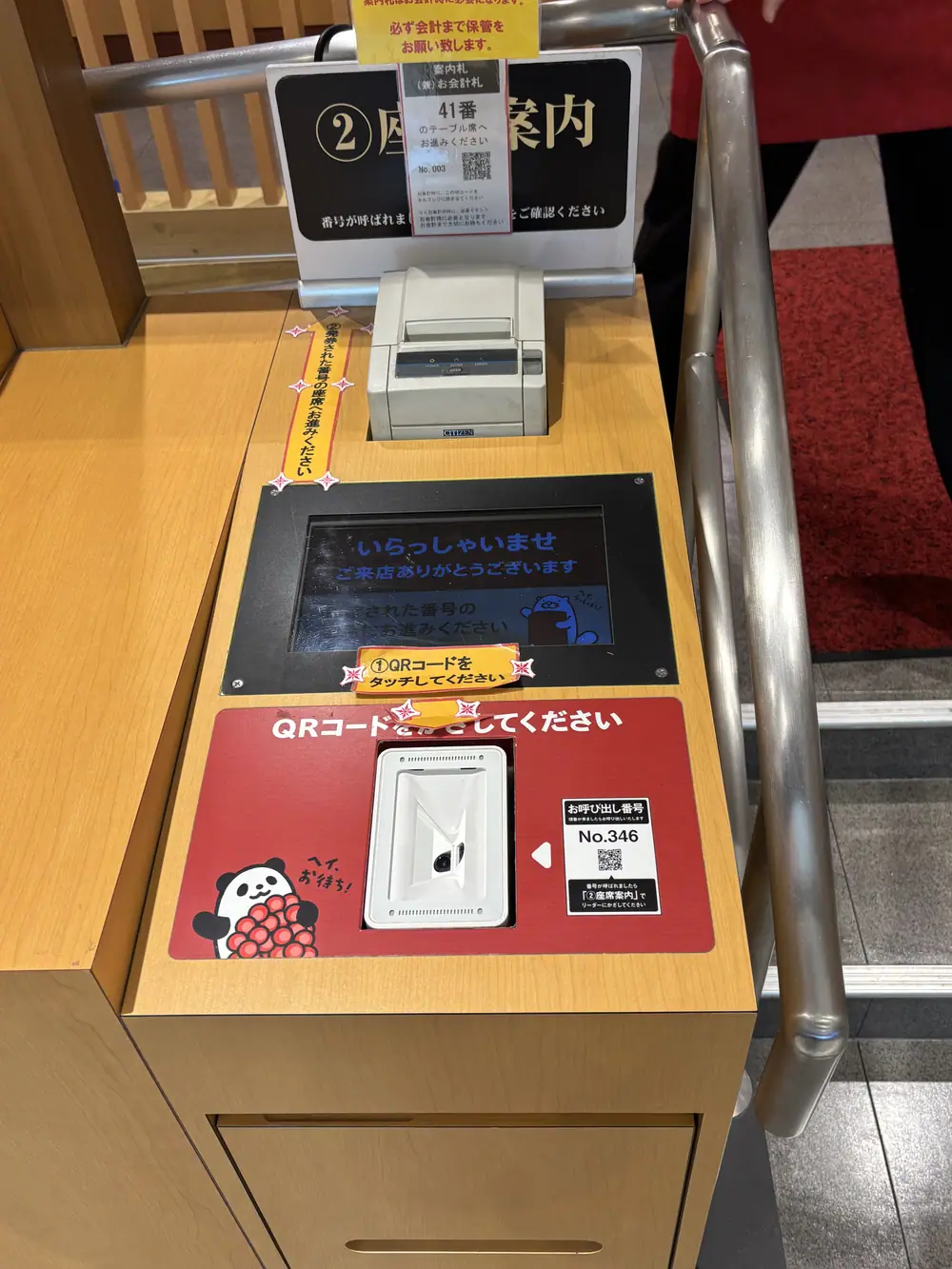
It identifies your seat and works as the payment card at the end of the meal. You will scan its barcode at the self-checkout.
If there are zero parties waiting
The machine may print your seat/payment slip immediately instead of making you wait for a call. Check the table or counter number and go inside.
6. Enter and find your seat
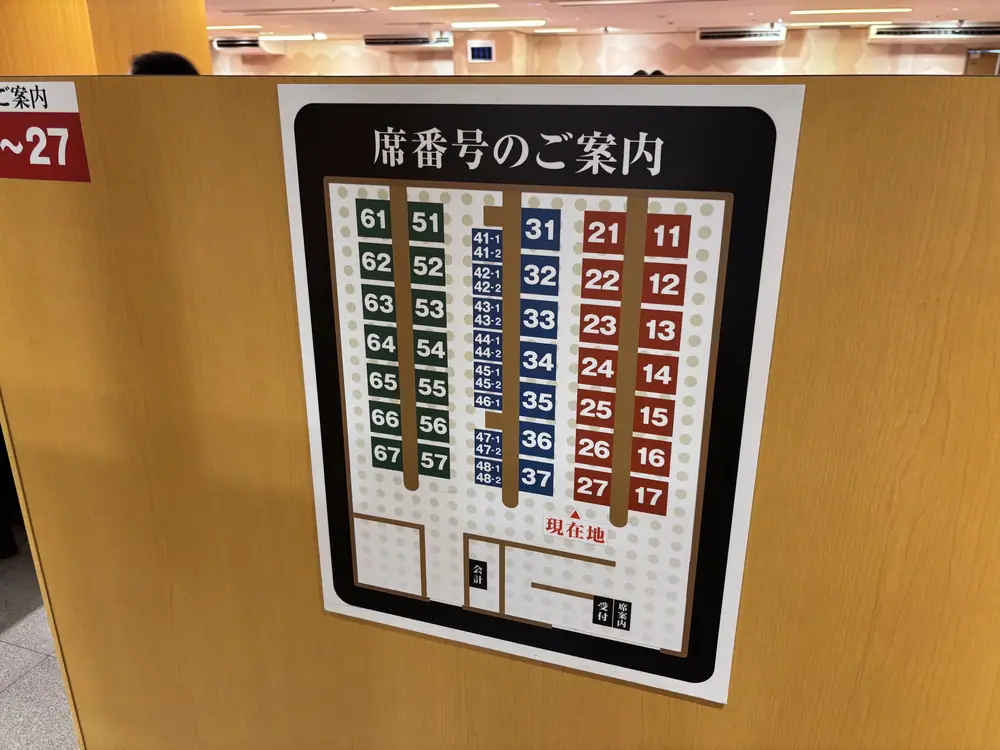
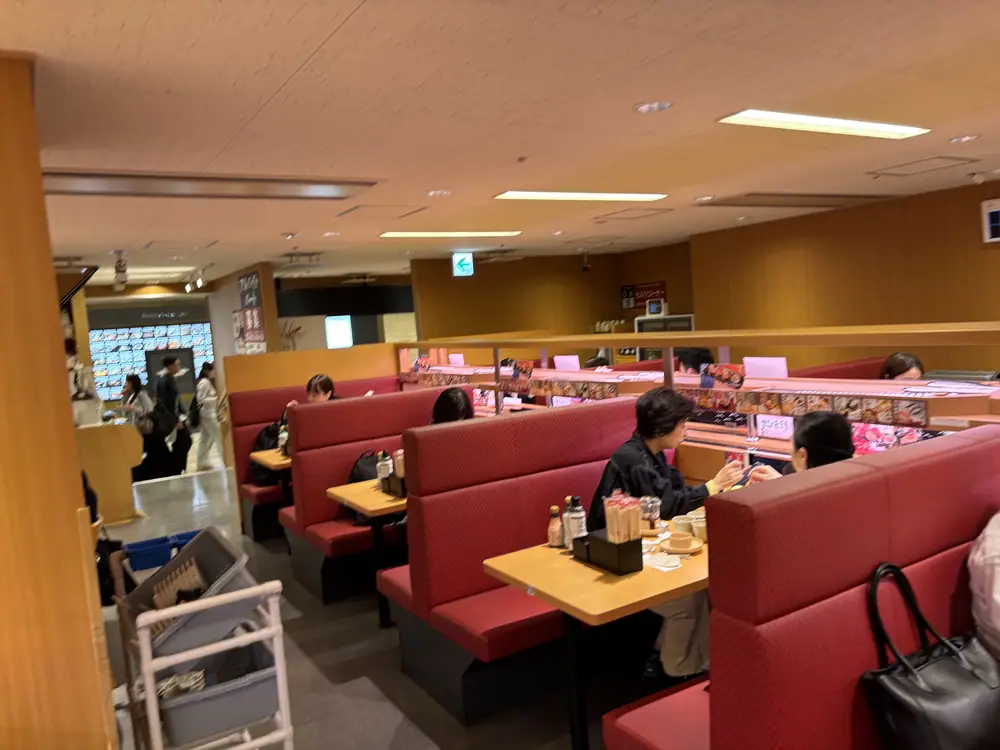
The slip tells you whether to use a table or counter and gives the seat number. Signs are displayed along the aisle. If the number is hard to find, show the slip to a staff member and say, “Sumimasen” (Excuse me).
7. Water, tea, children’s dishes and condiments
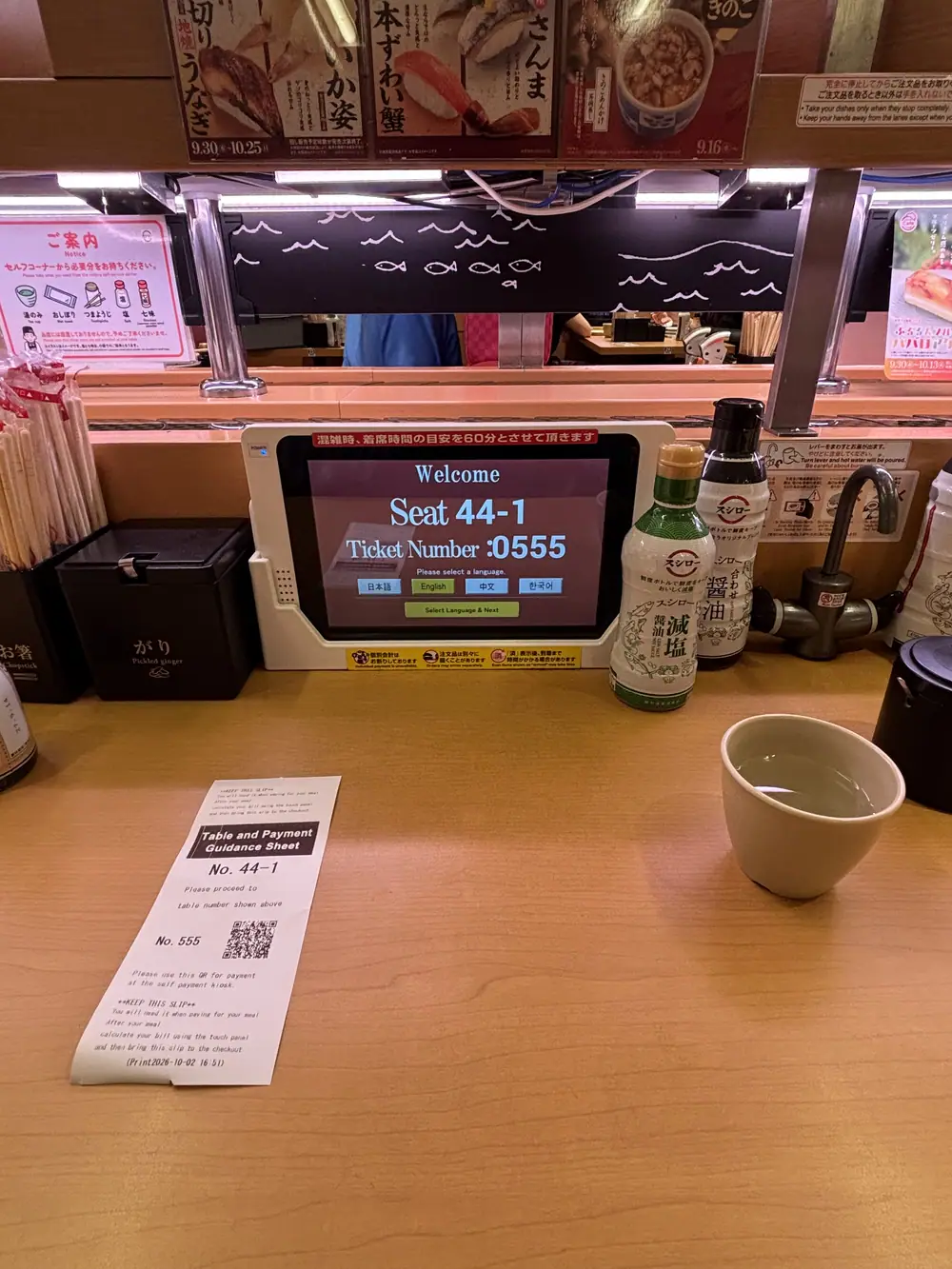
At this branch, cold water, wet hand towels, and children’s dishes were available from the self-service area. Hot tea can be made at the seat using powdered tea and the hot-water tap. Wasabi, chopsticks, and soy sauce are also at the table.
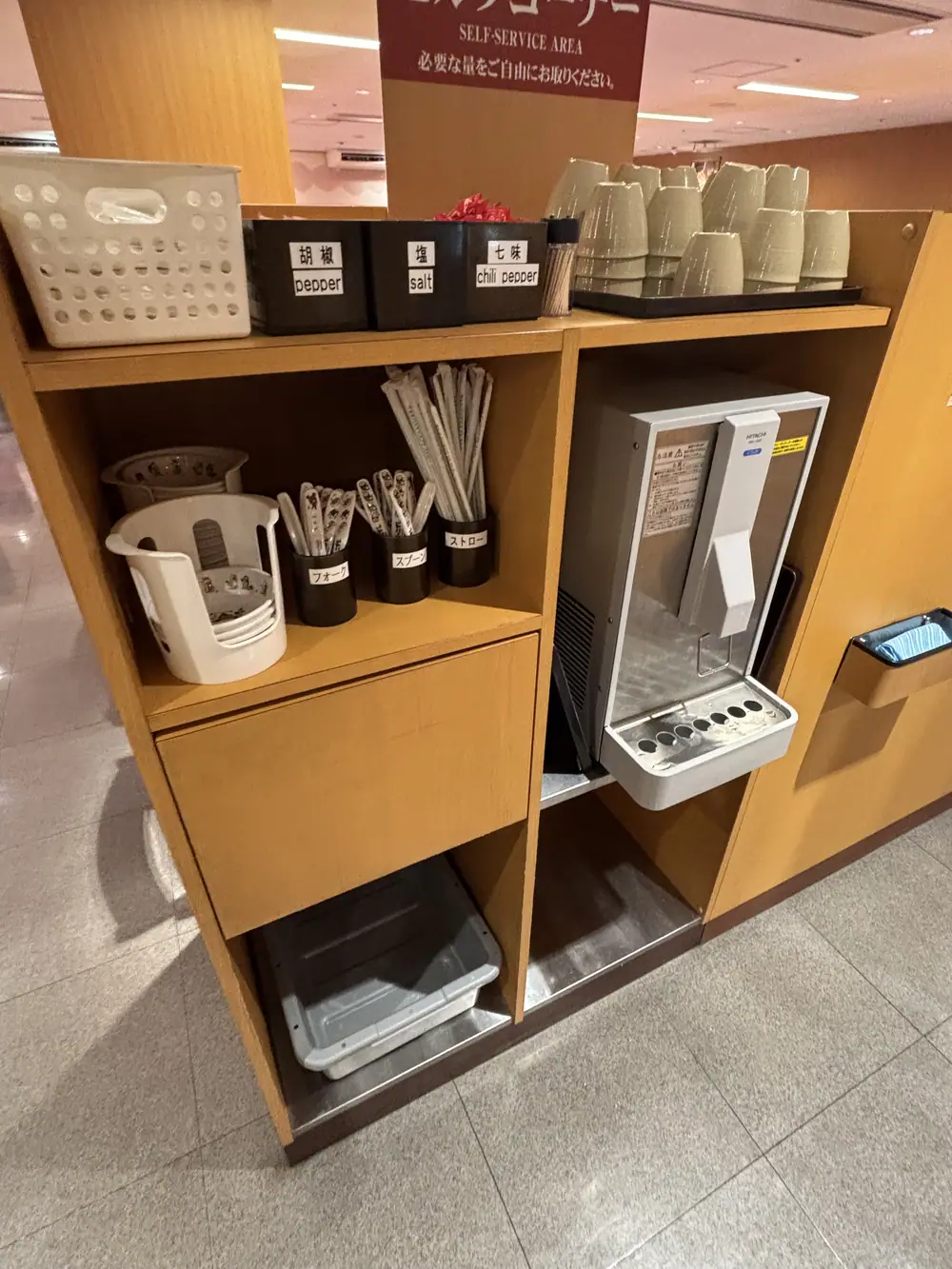
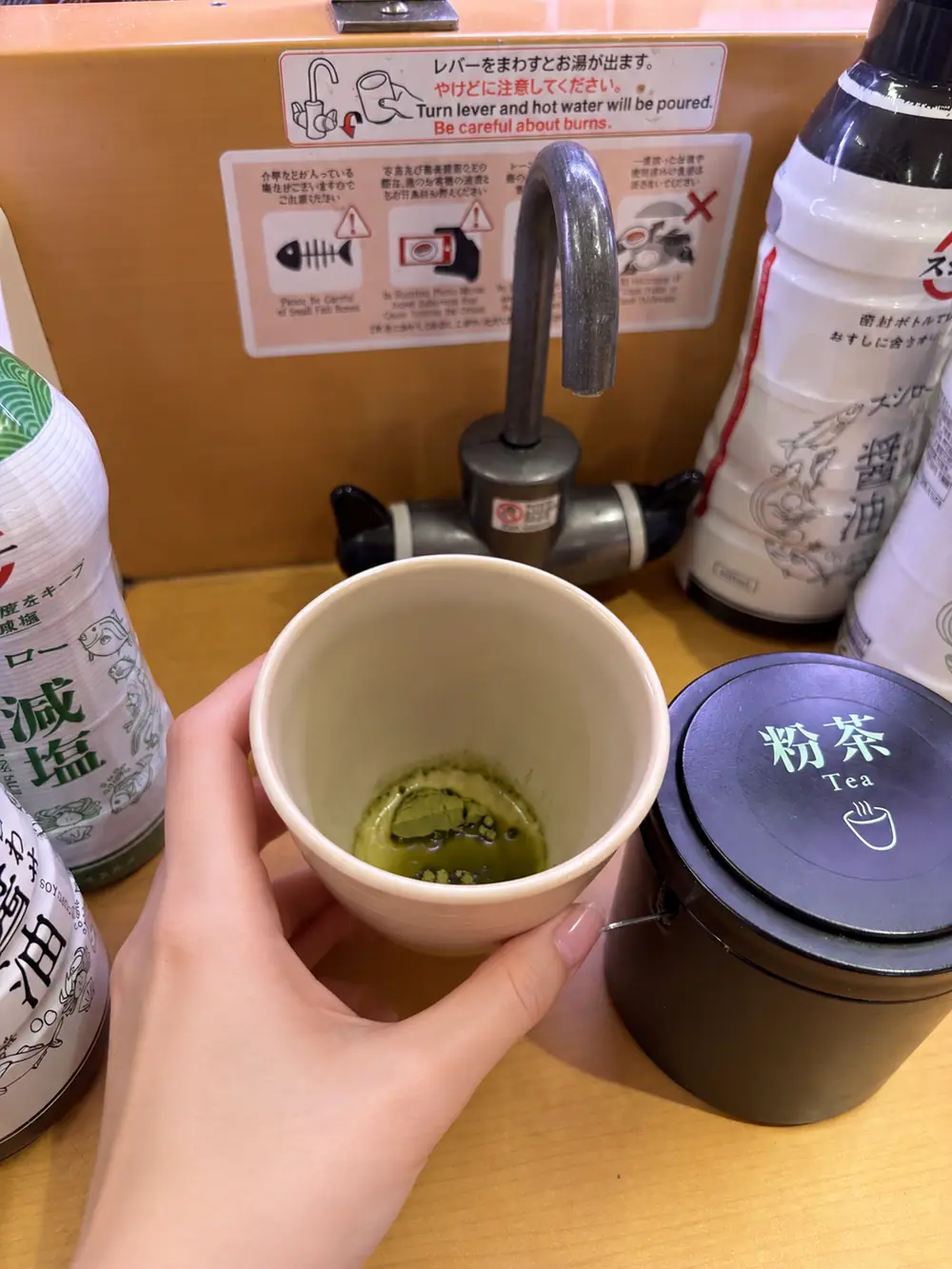
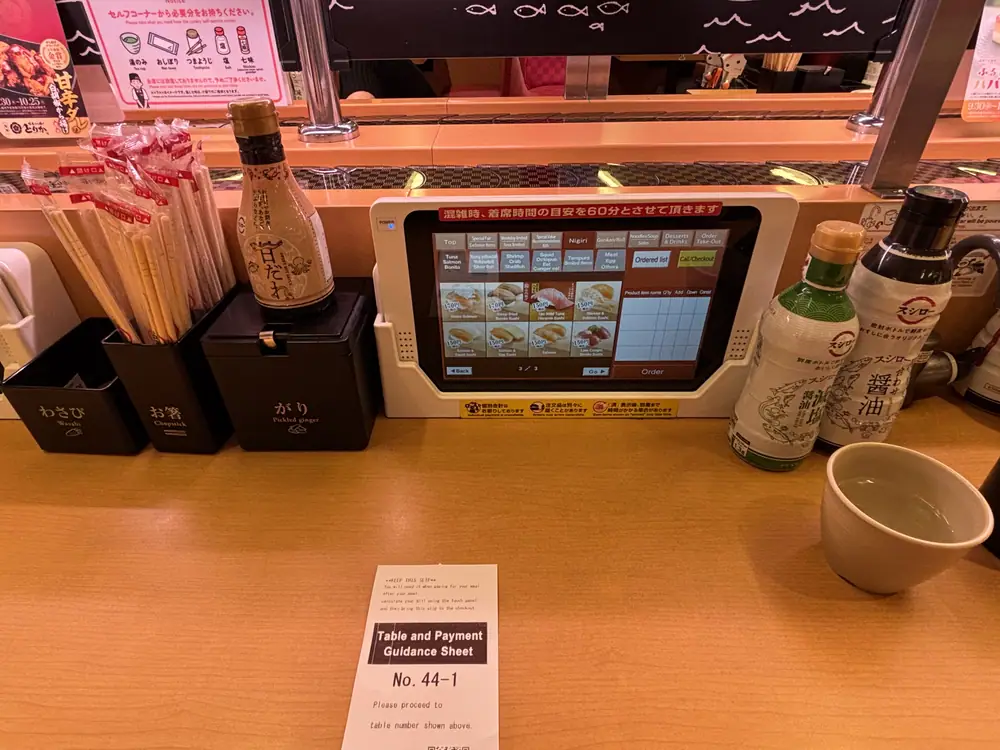
Push the cup firmly against the lever and keep children’s hands away from the tap. Ask staff if you are unsure how it works.
8. How to order in English
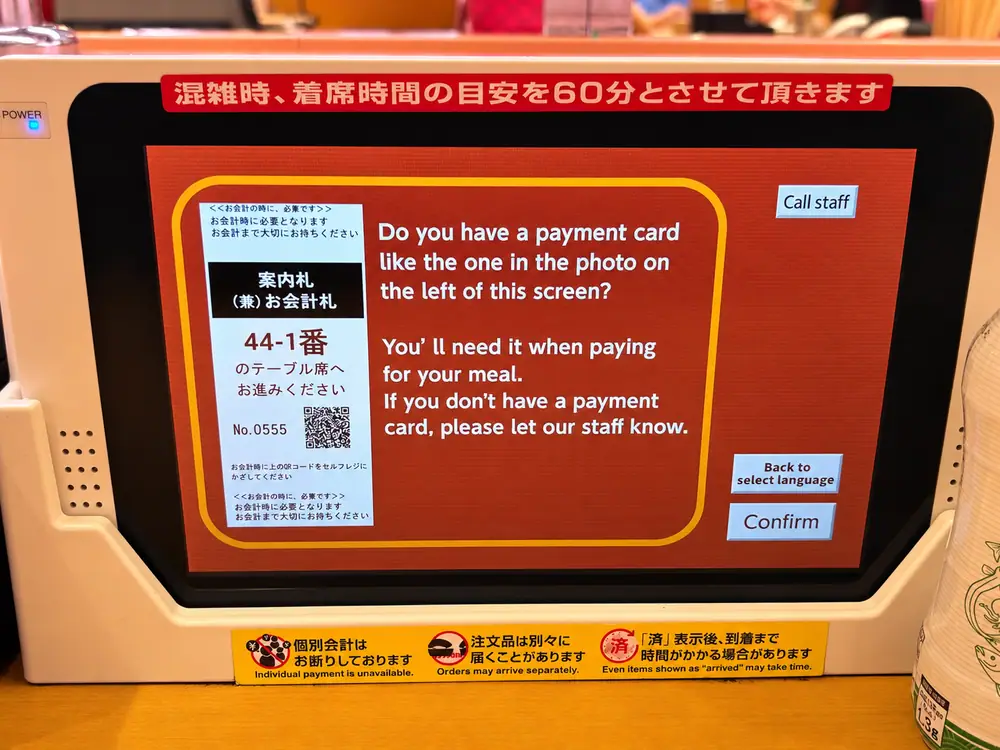
- 1Confirm that you have the payment slip
The first message may ask whether you have the payment card shown on screen. Select Confirm.
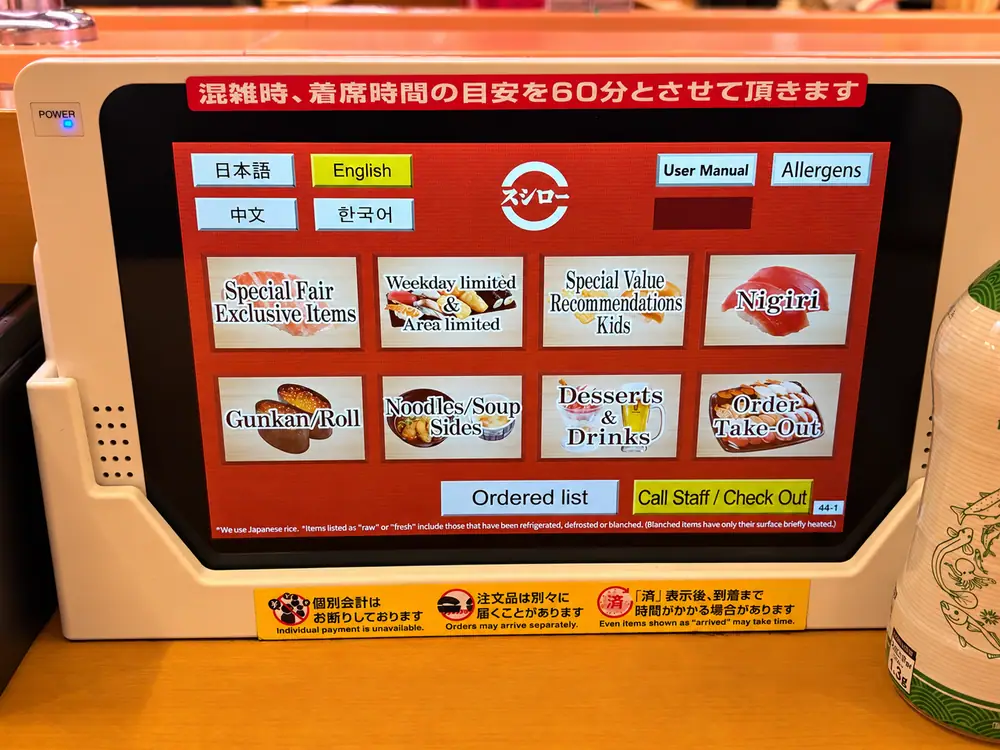
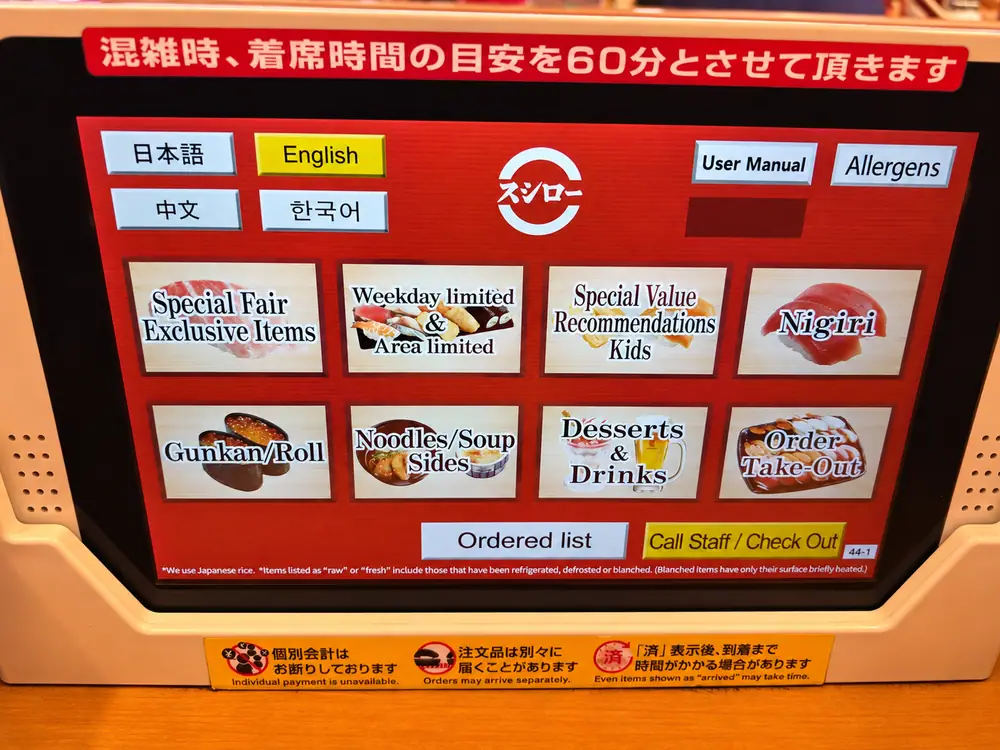
- 2Select English
Choose English on the home screen. The current interface also displays Japanese, Simplified Chinese, and Korean.
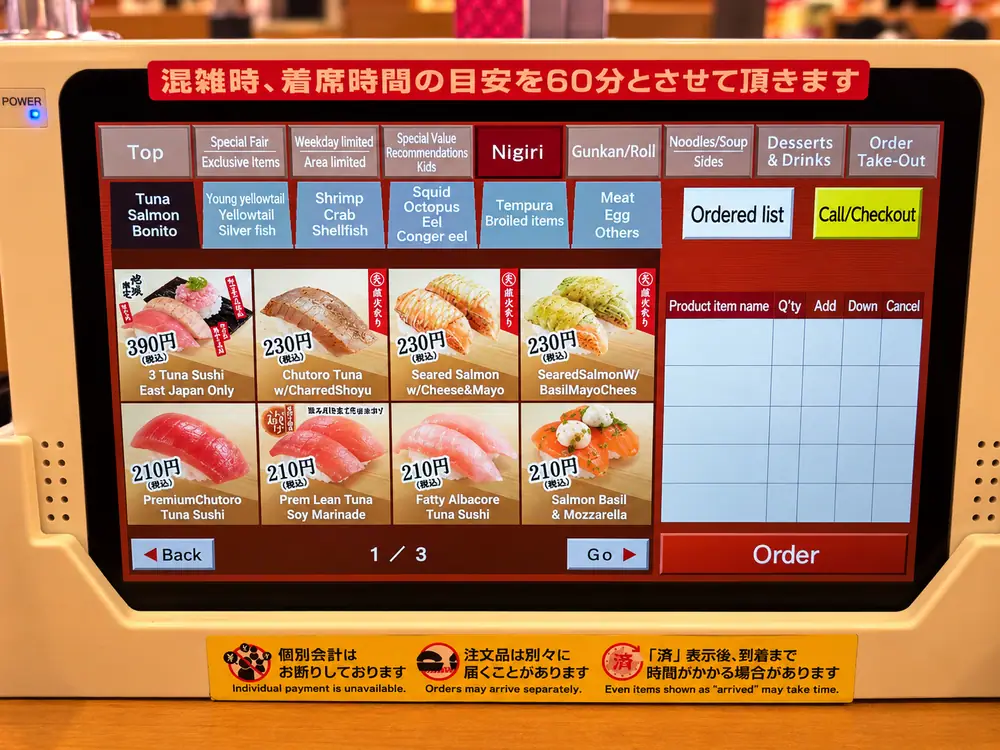
- 3Choose a category and item
Browse nigiri, rolls, noodles, side dishes, desserts, drinks, and limited items.
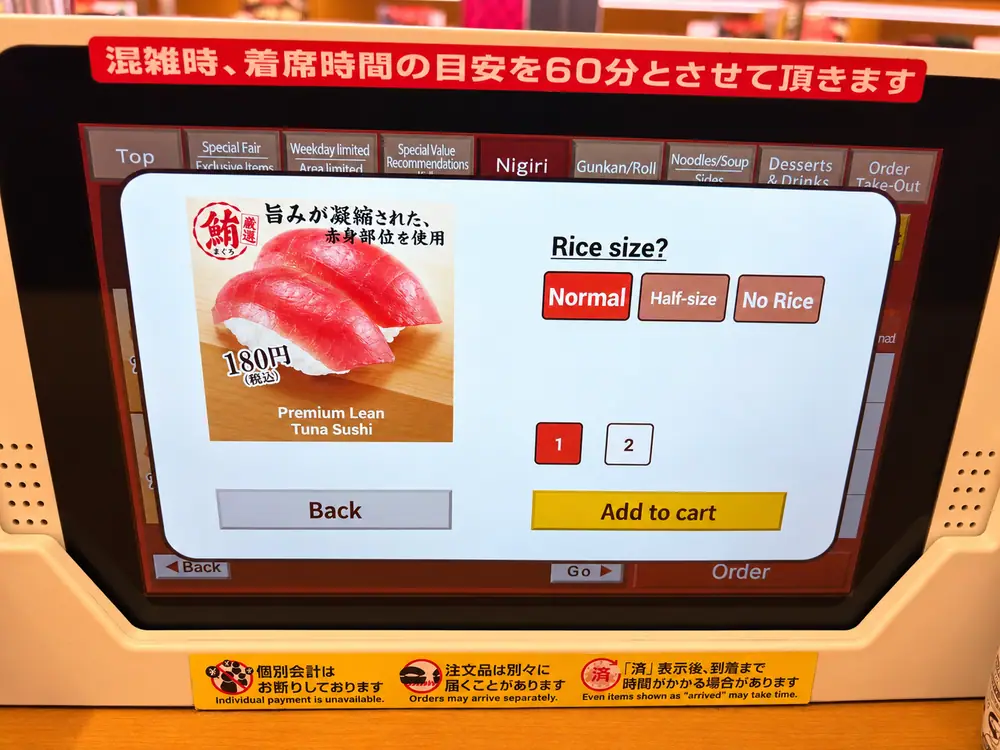
- 4Choose the rice size and quantity
For eligible sushi, select normal, half-size, or no rice, choose the quantity, and tap Add to cart.
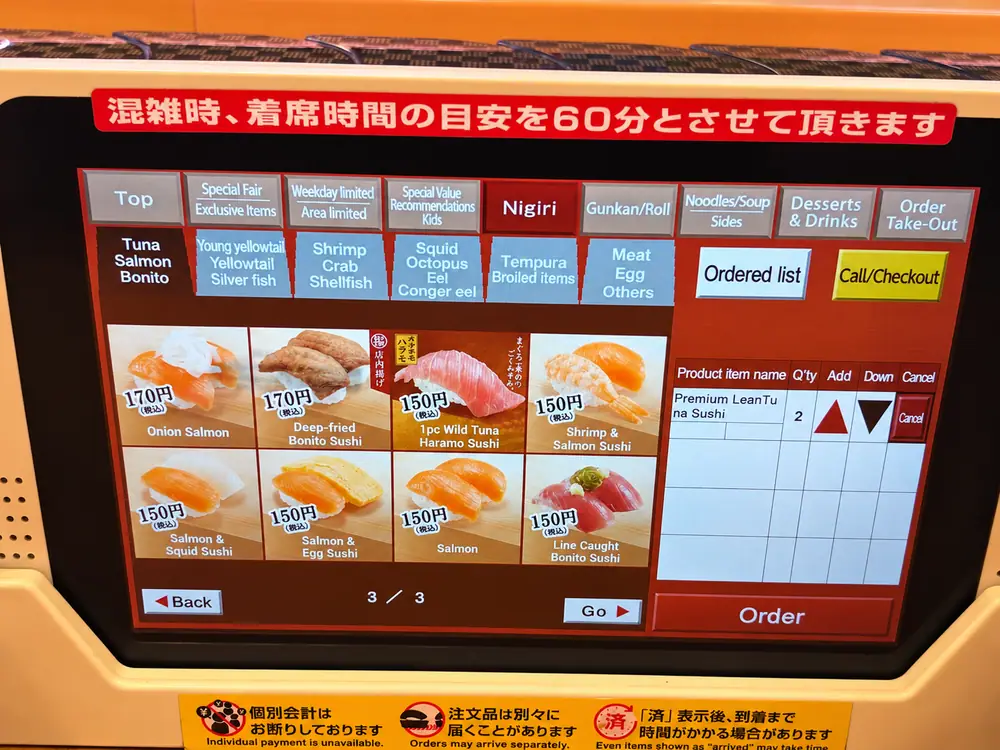
- 5Review and order
Check the item and quantity in the right-hand column, then press Order.
9. How the sushi and plate system work
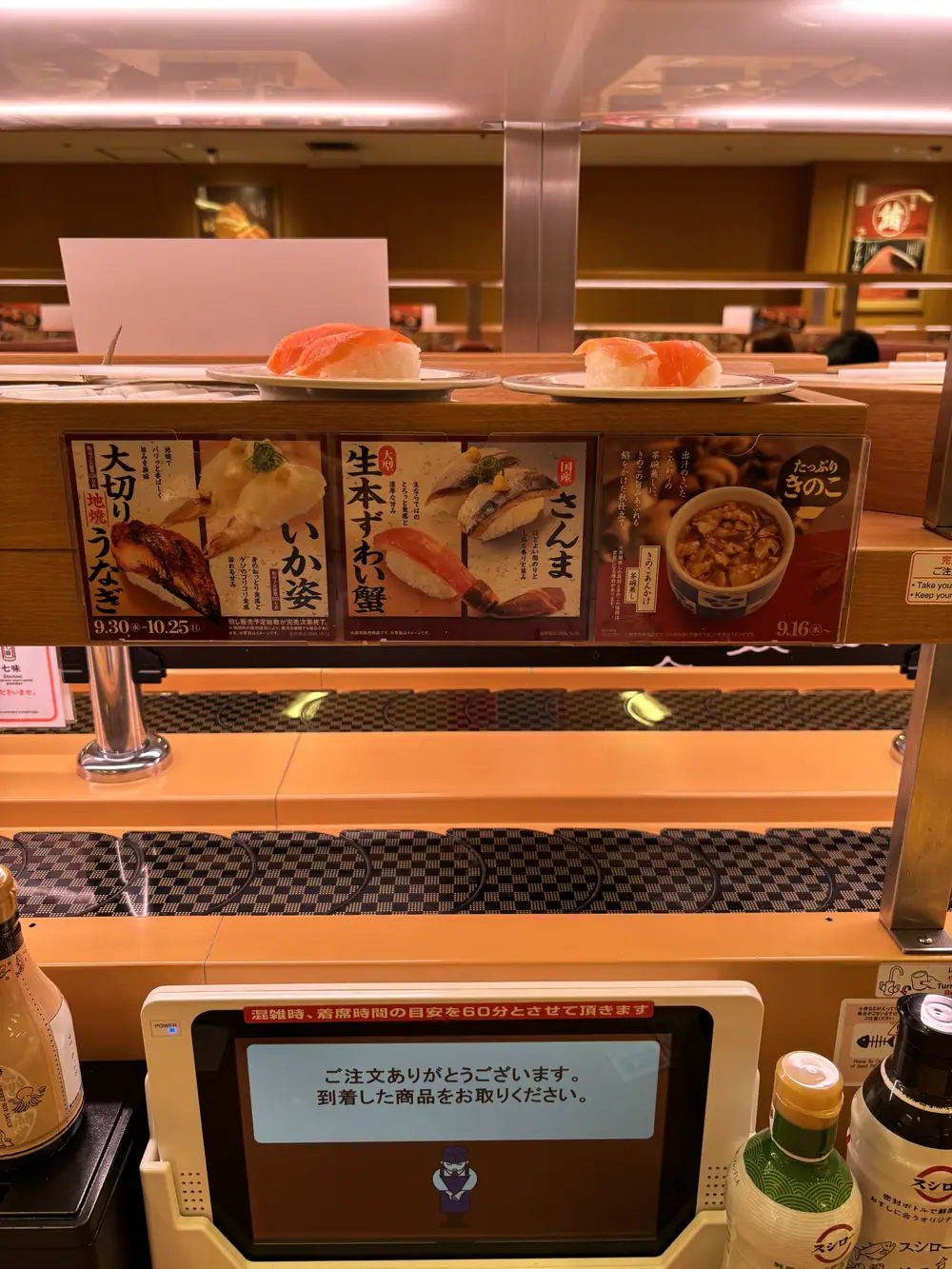
During Aya’s visit, sushi was not circulating freely around the restaurant. Each item was ordered from the touchscreen and delivered to the seat on the upper delivery lane. Watch the screen and lane after the arrival alert, then take only the food delivered for your seat.
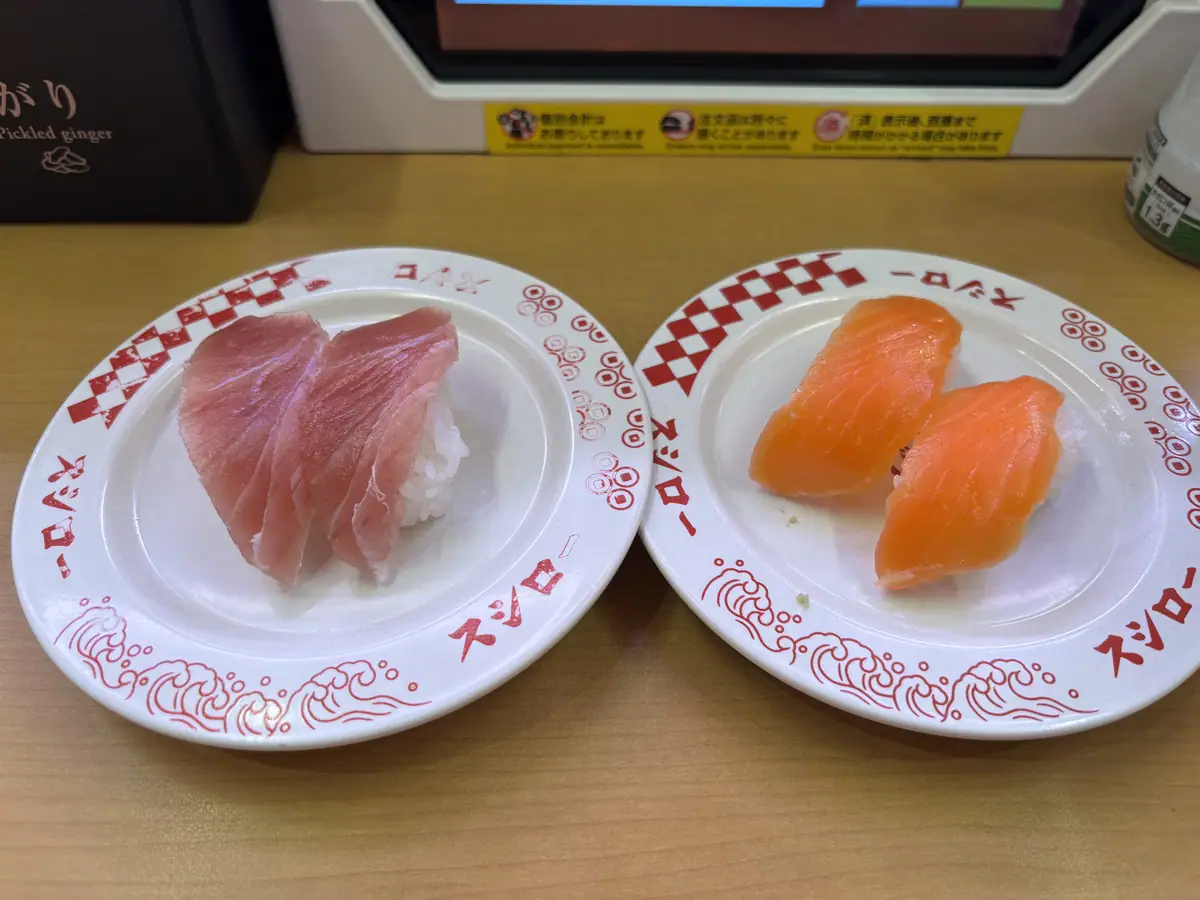
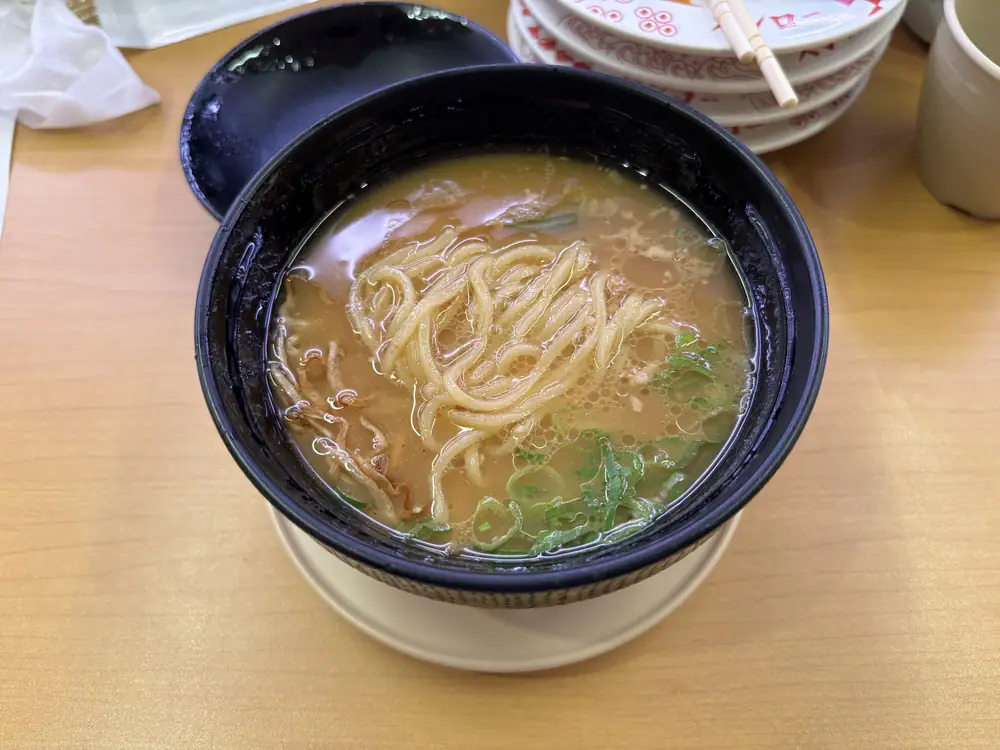
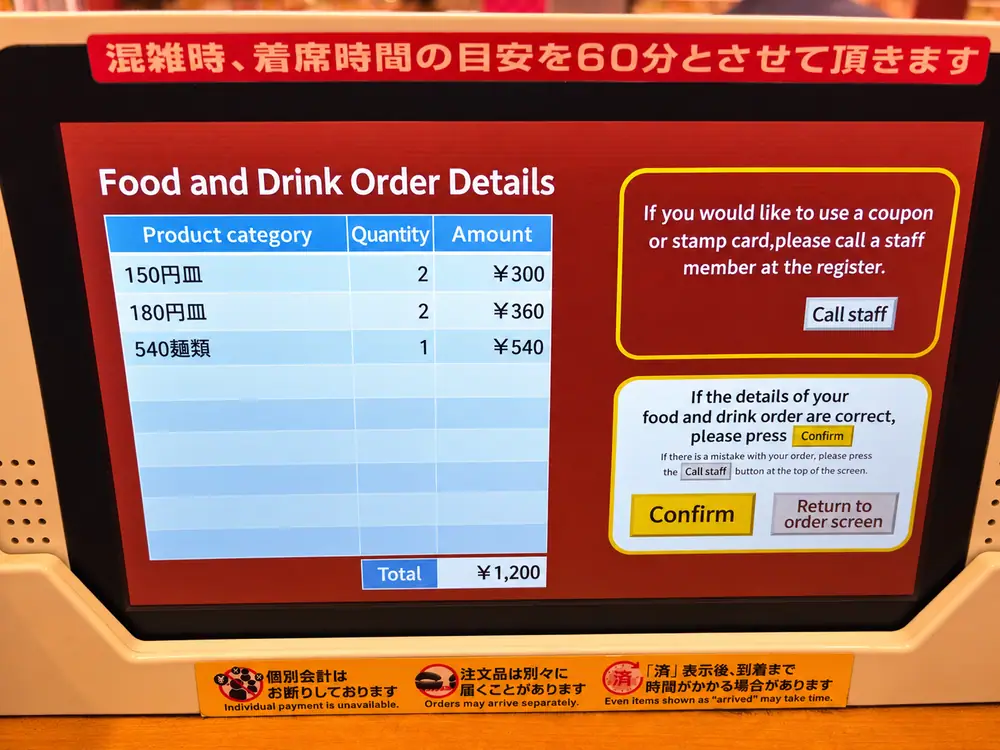
Prices are grouped by item and plate-price category. Your order history and checkout screen show what was ordered and the total. Leave empty plates at the table; there is no need to carry them to the register.
10. Check out and pay
- 1Open Call Staff / Check Out
When everyone has finished, press the yellow button on the touchscreen.
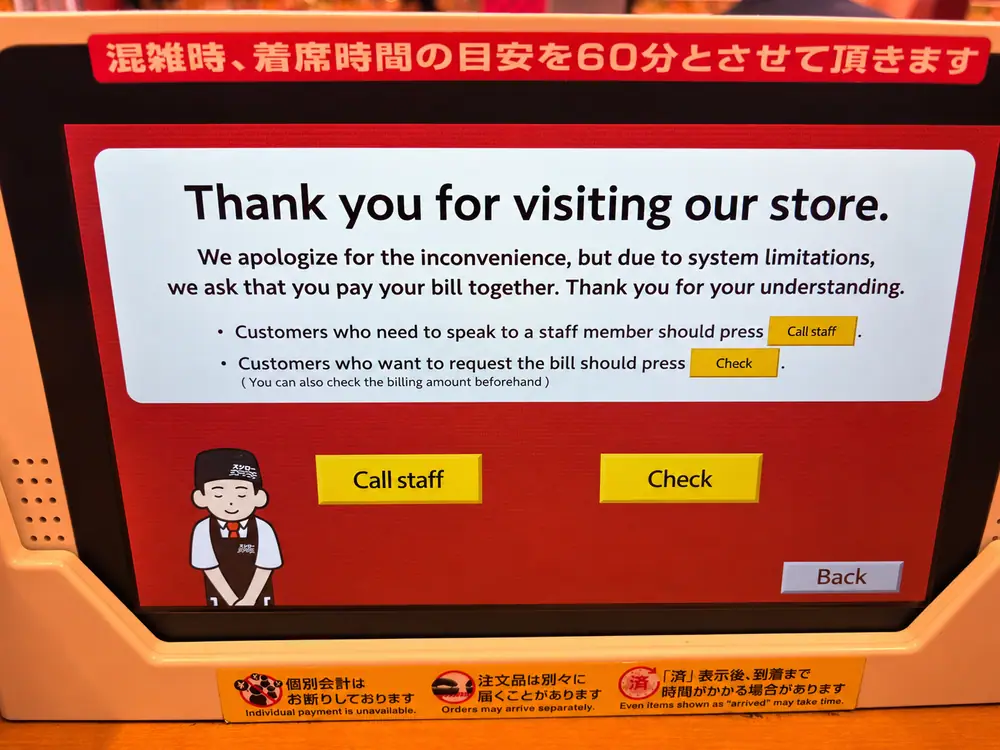
- 2Choose Check
The screen explains that the table must pay together. Individual split payment is not available on this system.
- 3Review the order details
Check the plate-price categories, quantities, other food and the total. Press Confirm if correct.
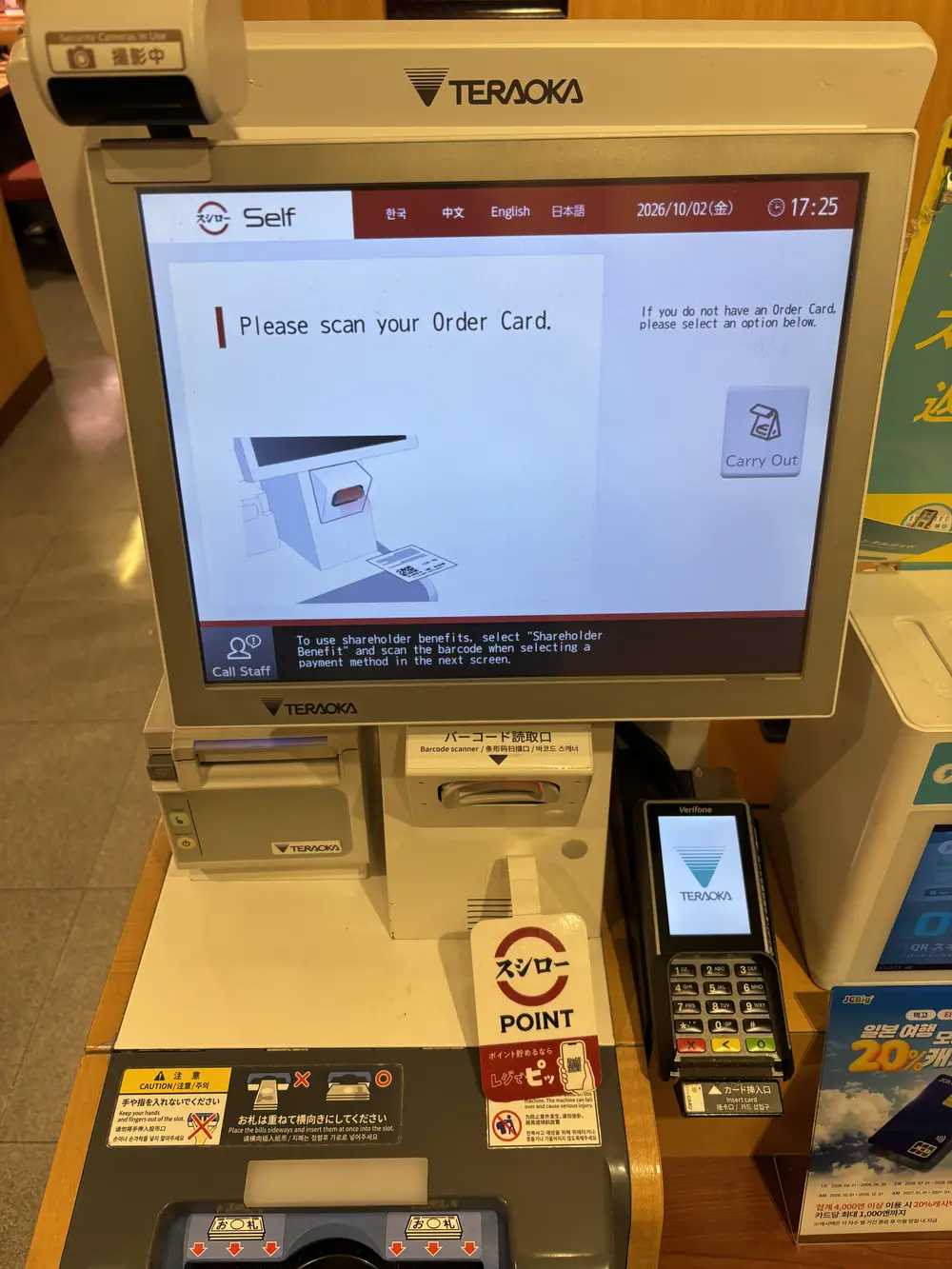
- 4Take the payment slip to the self-checkout
Scan the barcode printed on the seat/payment slip and complete payment.
What payment methods can you use?
The current official branch listings show cash, major international credit cards, and several QR-code payments. Electronic money is listed as unavailable, so do not rely on Suica or PASMO for payment. Payment acceptance can change; check the live branch page or the logos on the self-checkout.
| Method | Current branch information |
|---|---|
| Cash | Accepted |
| Credit cards | Visa, Mastercard, JCB, American Express, Diners Club and Discover listed |
| QR payments | Yaechika lists services including PayPay, Rakuten Pay, d払い, au PAY, Merpay, J-Coin Pay, Alipay and WeChat Pay |
| Suica / PASMO / other e-money | Not accepted according to the current Yaechika listing |
11. Aya’s family and first-timer tips
- Choose a table when possible. It gives families more space than the counter, although the wait may be longer.
- Include children in the check-in count. The restaurant needs the correct party size to assign suitable seating.
- Keep children away from the hot-water tap. The lever releases very hot water for tea.
- Keep the seat/payment slip visible. Place it somewhere dry so it is easy to find at checkout.
- Watch for separate arrivals. Dishes ordered together may reach the lane at different times.
- Use the Allergens button. The English touchscreen includes an allergen information option, but speak with staff if an allergy is serious.
- Ask before blocking an aisle with luggage. This is a busy Tokyo Station branch; staff can help you find the safest place for large bags or a stroller.
Lunch and dinner queues can grow quickly. If the waiting screen shows a long estimate, get your ticket first, stay close enough to watch the call monitors, and have one person keep the three-digit ticket. Do not confuse it with the seat/payment slip you receive later.
12. Quick FAQ
Is Sushiro Yaechika inside the Tokyo Station ticket gates?
No. It is outside the paid JR area in Yaesu Underground Shopping Mall, so leave through a Yaesu ticket gate first.
Can I make a reservation?
Yes. Sushiro’s official FAQ says regular branches accept reservations through the smartphone Sushiro app; telephone reservations are not accepted. In the app, choose “Go Later” to select a time slot up to one month ahead, then check in at the reception machine when you arrive. The time slot gives you priority, but it does not guarantee immediate seating and the actual call time can move depending on the queue. Walk-ins can still use the ticket process shown in this guide.
Can I order in English?
Yes. The photographed touchscreen offers English, and Sushiro’s official information lists English, Simplified Chinese, and Korean support.
Do I need to speak Japanese?
Not for the basic check-in, ordering, or self-checkout flow. If you need help, show the relevant ticket and say “Sumimasen.”
Do plates continuously rotate around this branch?
During Aya’s visit, food was ordered on the touchscreen and delivered directly on the upper lane rather than circulating freely. Follow the current instructions because store systems can change.
Can our group pay separately?
The photographed checkout screen states that individual payment is unavailable, so plan to pay one bill for the table and settle between yourselves afterward.
Can I pay with Suica?
The current Yaechika branch listing says electronic money is unavailable. Bring cash, an accepted credit card, or a supported QR payment method.
What if the payment-slip barcode will not scan?
Do not discard the slip. Say “Sumimasen” to a staff member and hand them the paper so they can assist.
Branch address, hours, last-order time, plate pricing and card information were checked against the official Sushiro Yaechika page. Seating and currently listed QR/electronic-money details were checked on the official Yaechika directory. Language and general service information were checked on Sushiro’s English website. Reservation details were checked against the official Sushiro app guide and Sushiro FAQ. All restaurant and route photographs were supplied by Aya and show the branch on the date of her visit. Screens, prices, queue rules, delivery systems, hours, and payment methods can change, so confirm the live display and official listing.