Tokyo Station food guideComparing conveyor-belt sushi? — use this guide for Hama Sushi at Tokyo International Forum, or open my Sushiro Yaechika guide for the complete Sushiro ordering and self-checkout flow.
Hama Sushi Tokyo International Forum is a convenient conveyor-belt-sushi restaurant about one minute from JR Yurakucho Station and one stop from Tokyo Station. I visited at about 8:30 p.m. on Friday, October 30, just after the branch opened, and photographed the complete route and walk-in reception process. This guide shows which Tokyo Station train to use, how to find the restaurant, how the two tickets work, and what to do when your number is called.
The first ticket shows your waiting number and a QR code. Scan that QR code only after your number is called. The machine then prints a second ticket with your seat number. Keep the second ticket for payment.
I took every route and restaurant photo in this guide. Blue arrows and colored boxes were added to a few images to make the next action easier to see.
1. Hama Sushi Tokyo International Forum — quick guide
Train → Forum → ticket → call → seat → order → pay
- At Tokyo Station, take the green Yamanote Line from Track 5 to Yurakucho.
- Leave Yurakucho through the International Forum Exit.
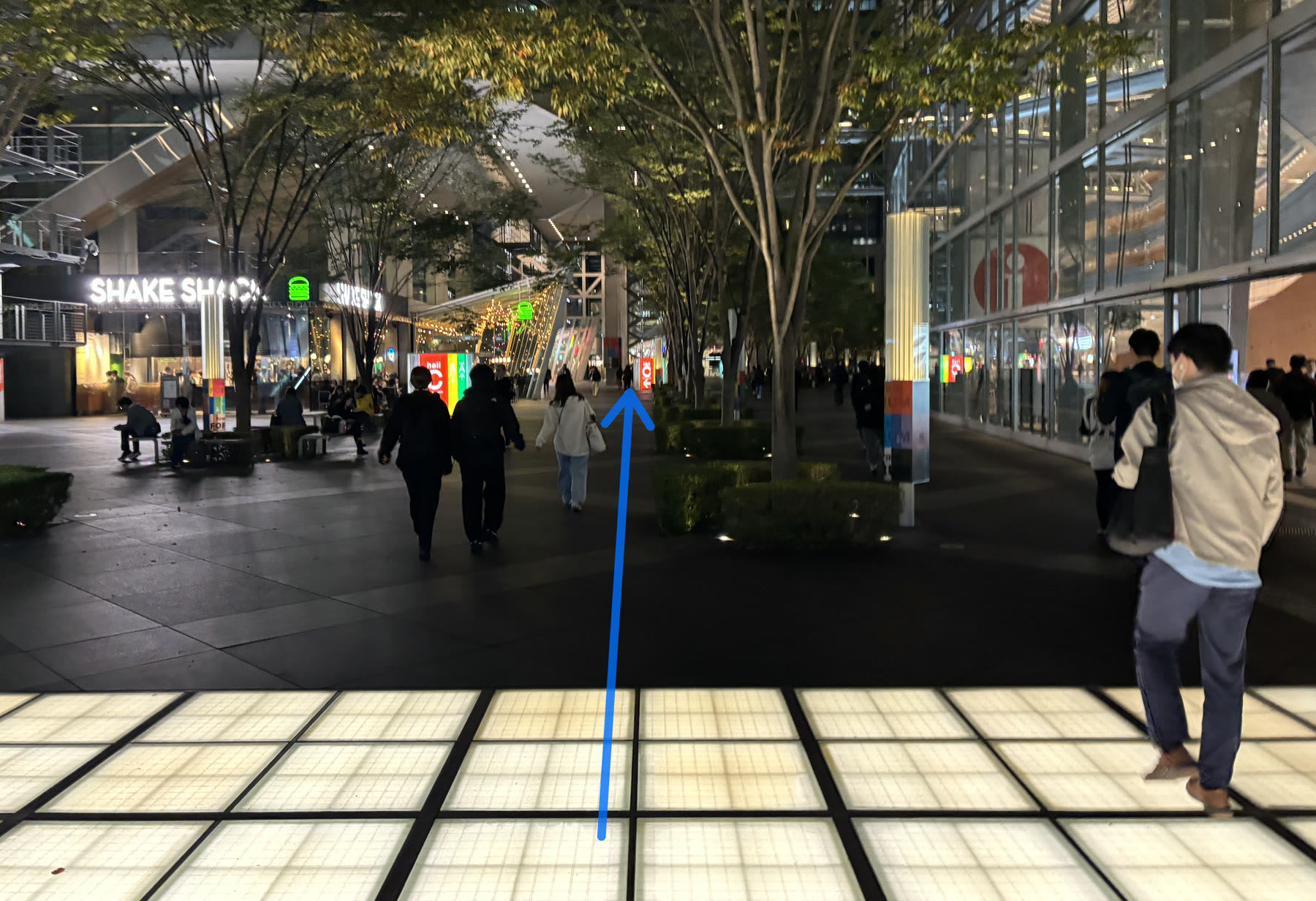
- Cross the street, enter the Ground Plaza, and walk straight toward Block A.
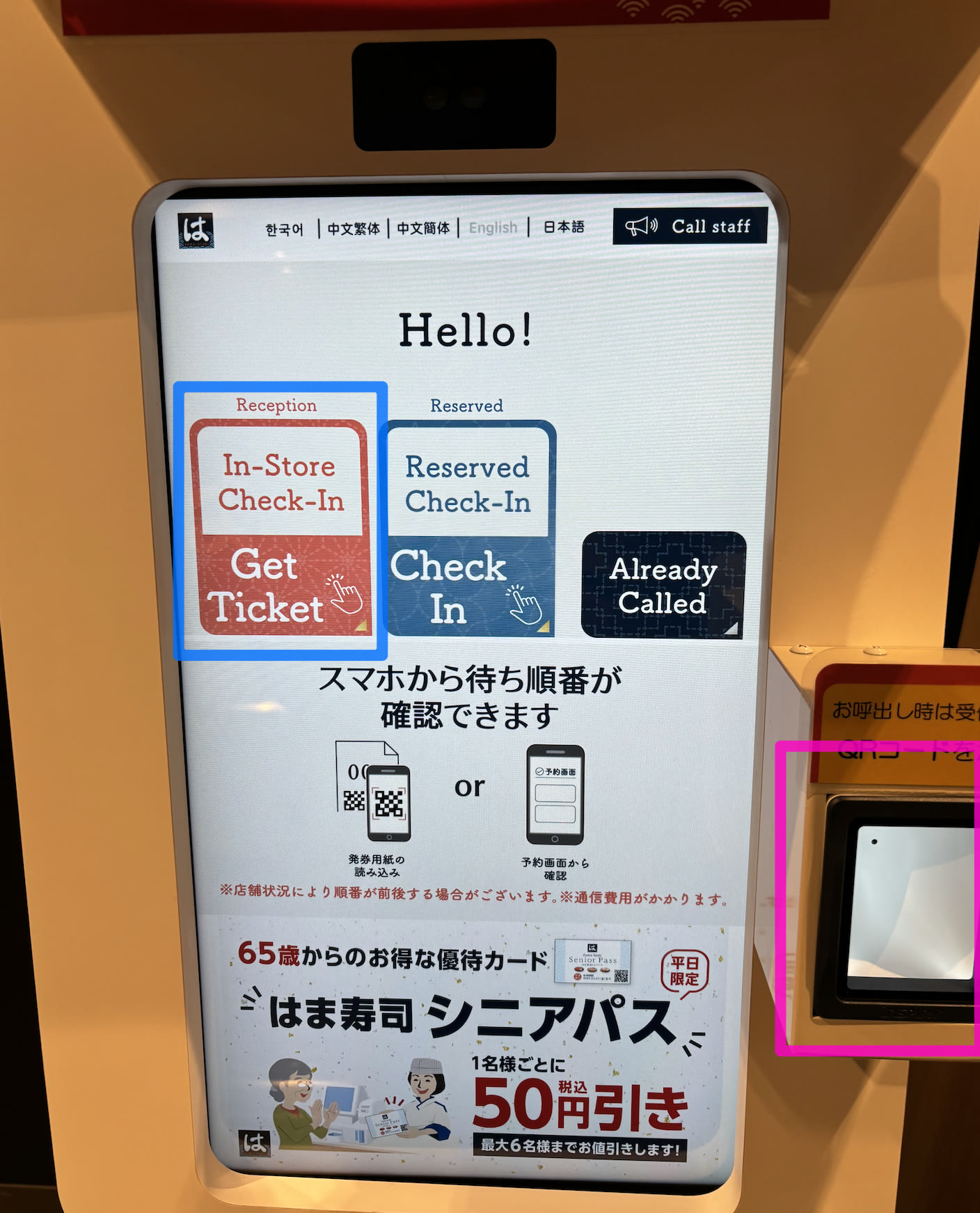
- At Hama Sushi, select English if needed and tap In-Store Check-In / Get Ticket.
- Enter your party size, choose table or counter seating, and keep the waiting ticket.
- Watch the call board. When your number appears, scan the ticket QR code at the machine.
- Take the newly printed seat ticket and sit at the number shown.
- Order from the seat touchscreen, then bring the seat ticket to the cashier when you finish.
| Official address | 3-5-1 Marunouchi, Chiyoda City, Tokyo · Tokyo International Forum Ground Plaza, Block A 1F |
|---|---|
| Regular hours | 10:00 a.m.–10:30 p.m.; last entry 10:00 p.m.; last order 10:15 p.m. |
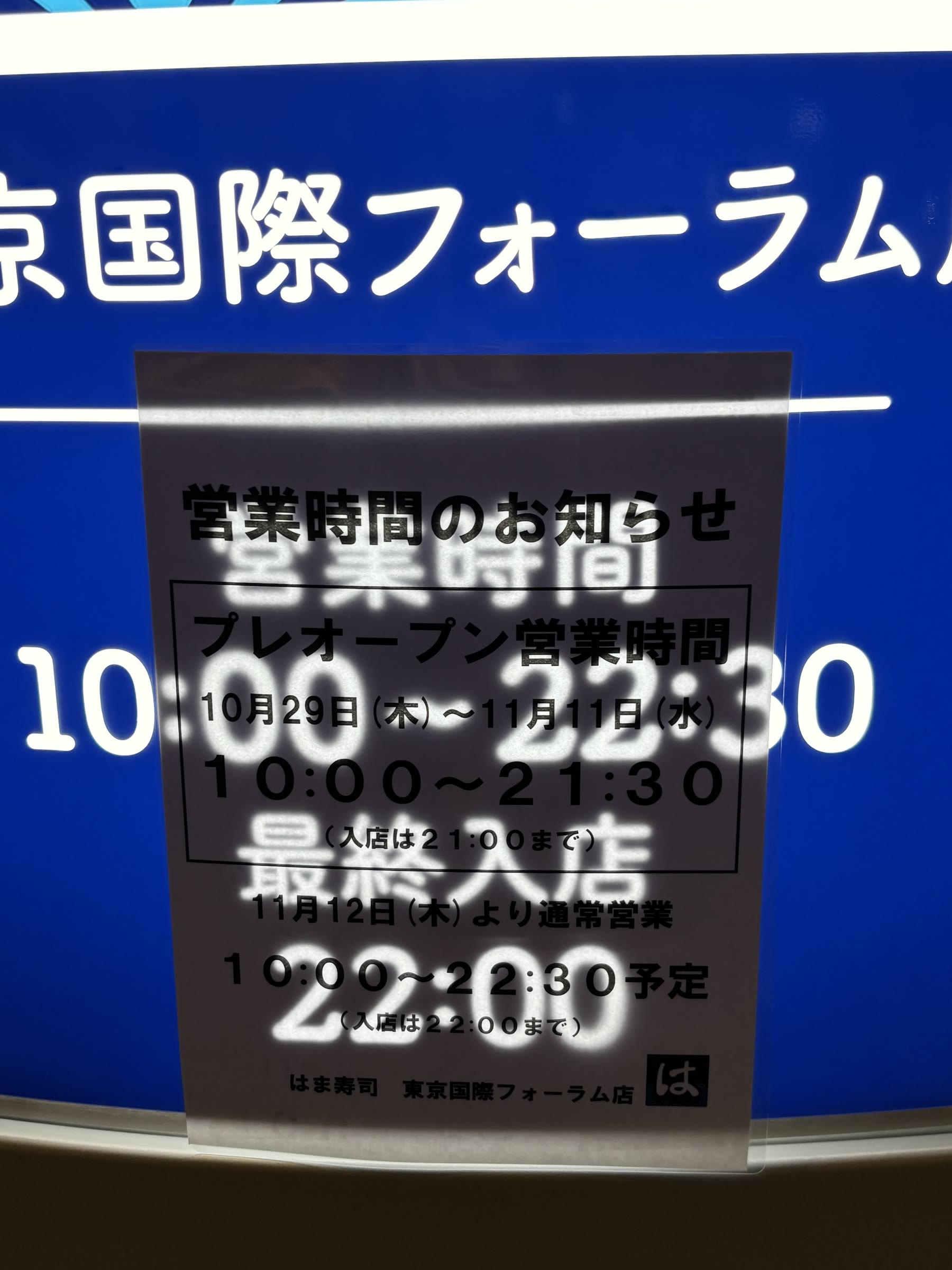
| October 29–November 11, 2026 | Pre-opening hours are 10:00 a.m.–9:30 p.m.; last entry 9:00 p.m.; last order 9:15 p.m. |
| Seating and delivery | Counter seating, wheelchair seating, touchscreen lane ordering, and straight delivery lanes are listed for this branch. |
Tokyo International Forum, Ground Plaza Block A 1F, 3-5-1 Marunouchi, Chiyoda City, Tokyo
2. How to travel from Tokyo Station to Yurakucho
At Tokyo Station, follow the green signs for the Yamanote Line, Track 5, toward Shinagawa and Shibuya. Yurakucho is the next stop. Tokyo Station has Yamanote trains on both Tracks 4 and 5, but Track 4 goes in the opposite direction toward Ueno, so use Track 5 for this one-stop trip.
The light-blue Keihin-Tohoku Line from Track 6 also travels south from Tokyo, but its daytime rapid service normally passes Yurakucho without stopping. The current timetable shows that pattern roughly from 10:30 a.m. to 3:30 p.m. If you do not want to check the train type, use the green Yamanote Line from Track 5.
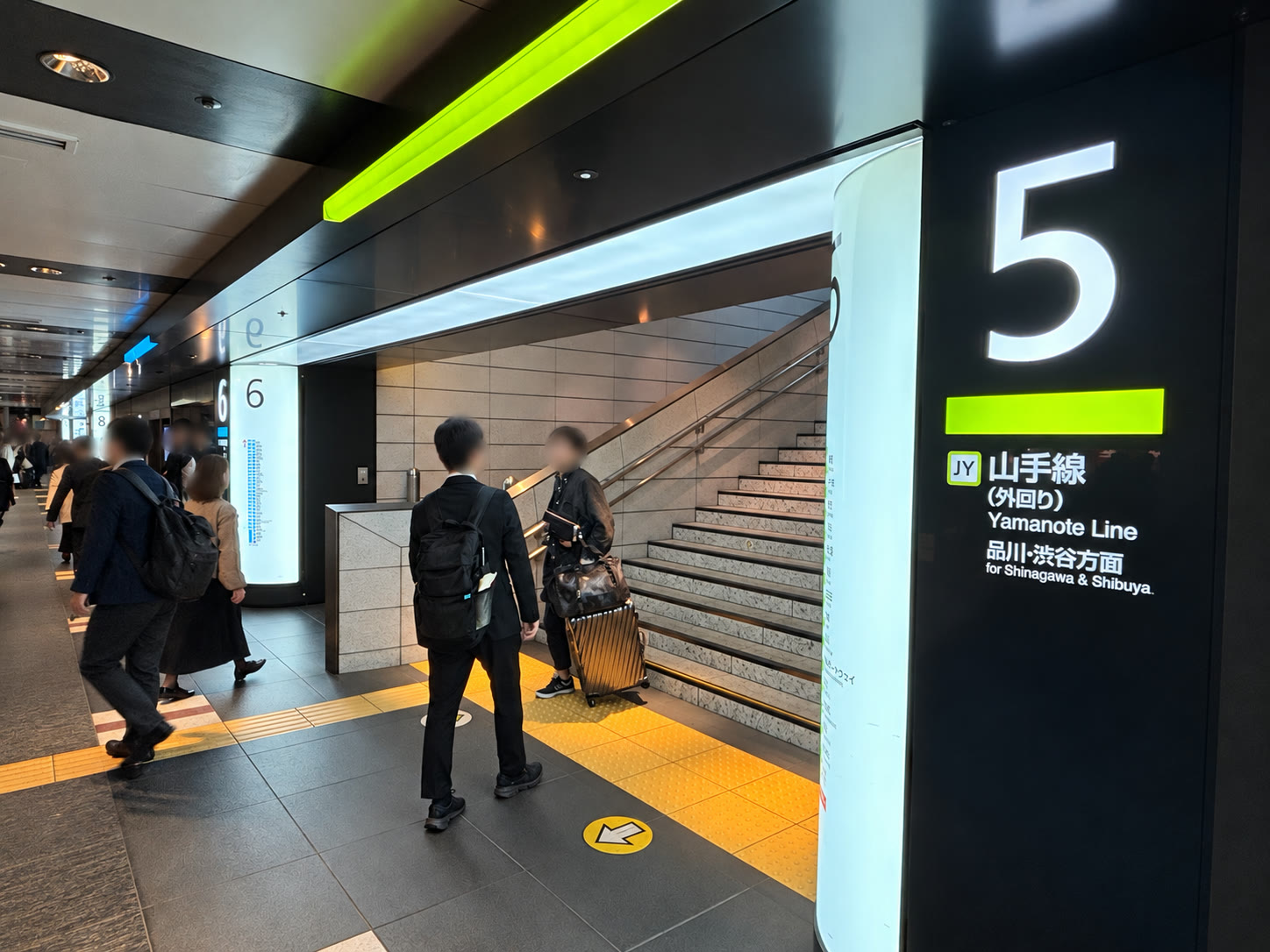
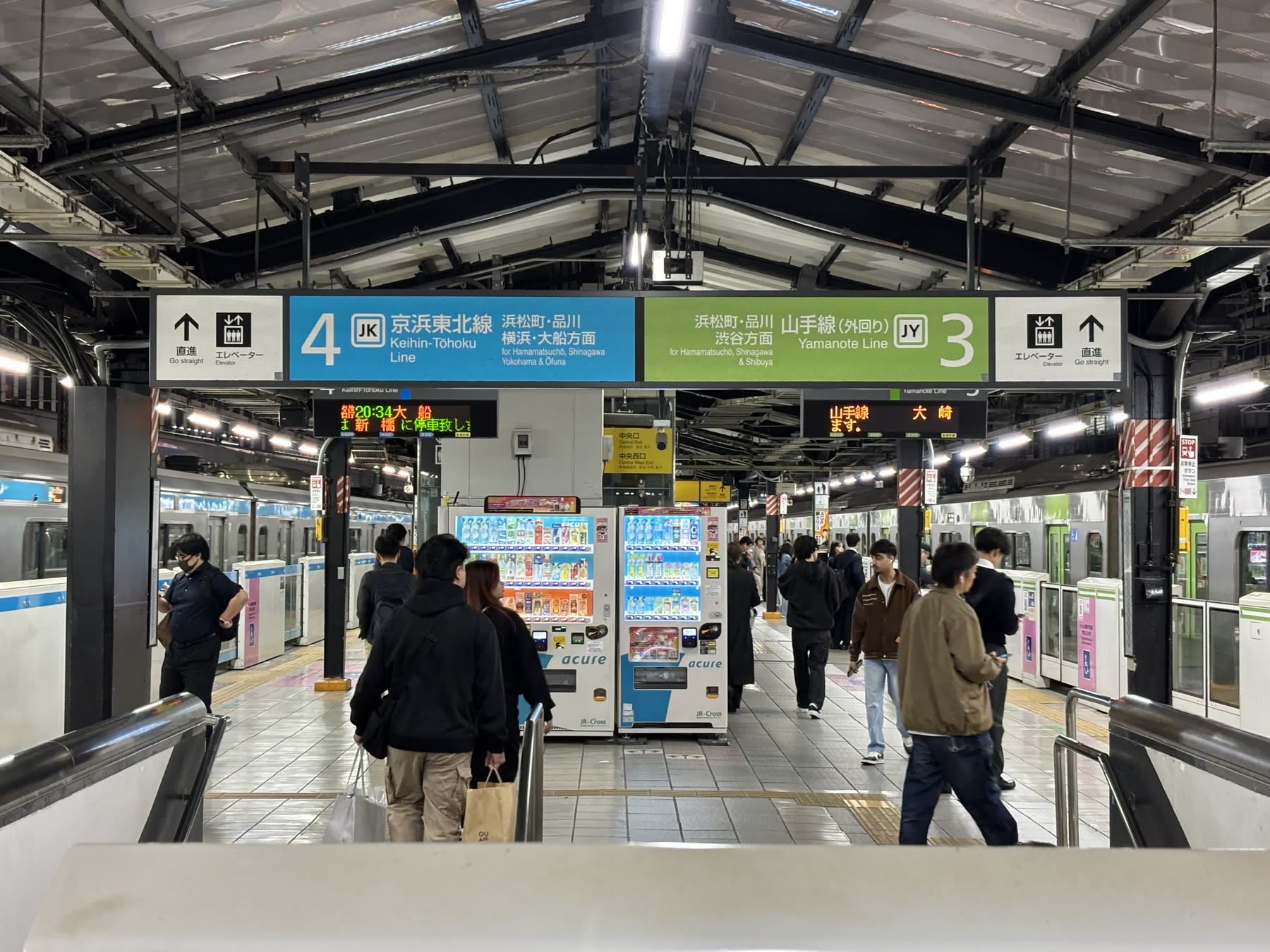
Train formations and stopping positions can change. Treat car 7, door 3 as a convenient landmark for this photographed route, then follow the station signs if the platform layout differs during your visit.
3. Walk from Yurakucho Station to Hama Sushi
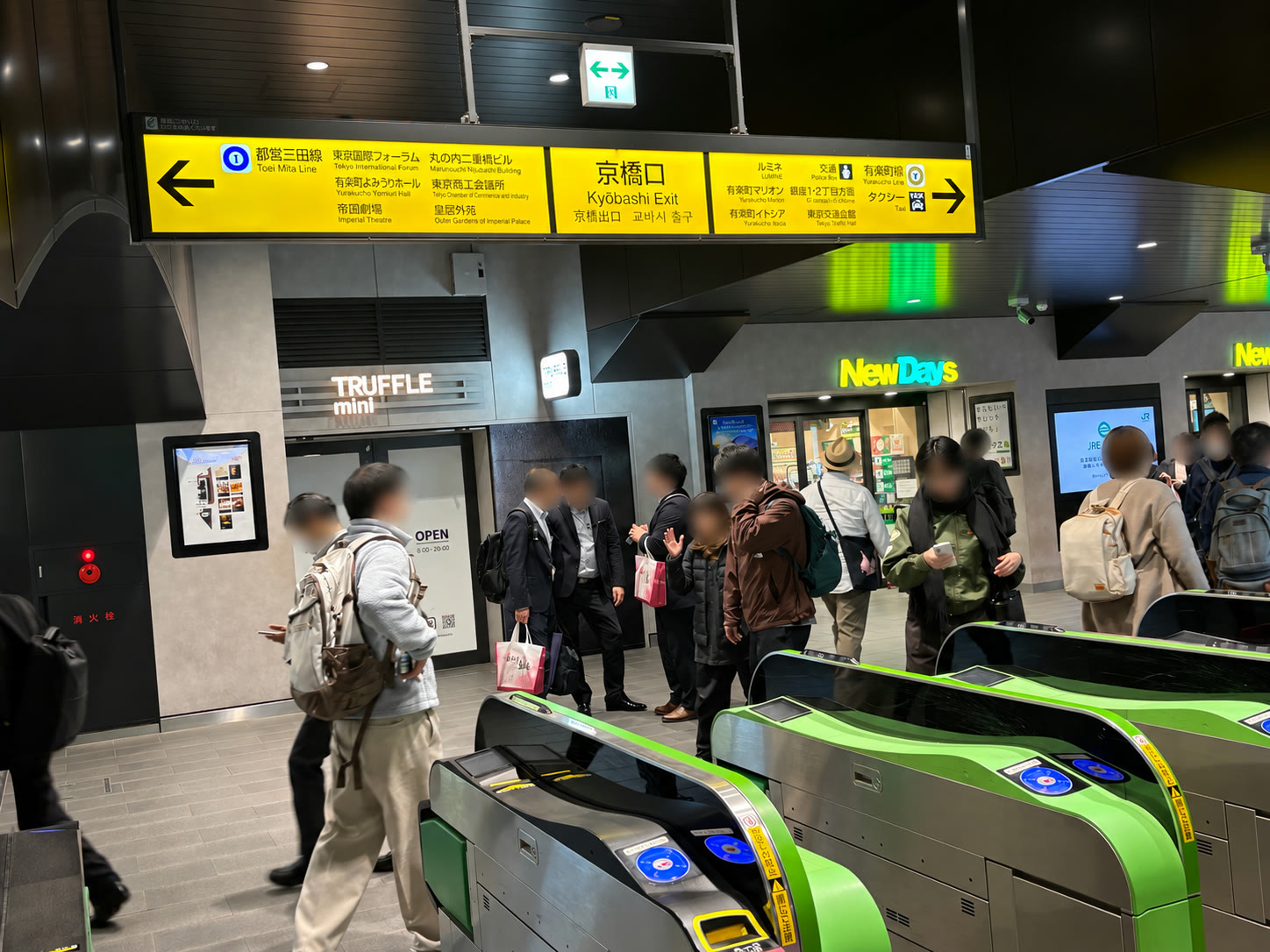
After getting off the train, I went down the stairs and followed the yellow signs for the International Forum Exit. At the bottom, turn left and pass through the ticket gates.
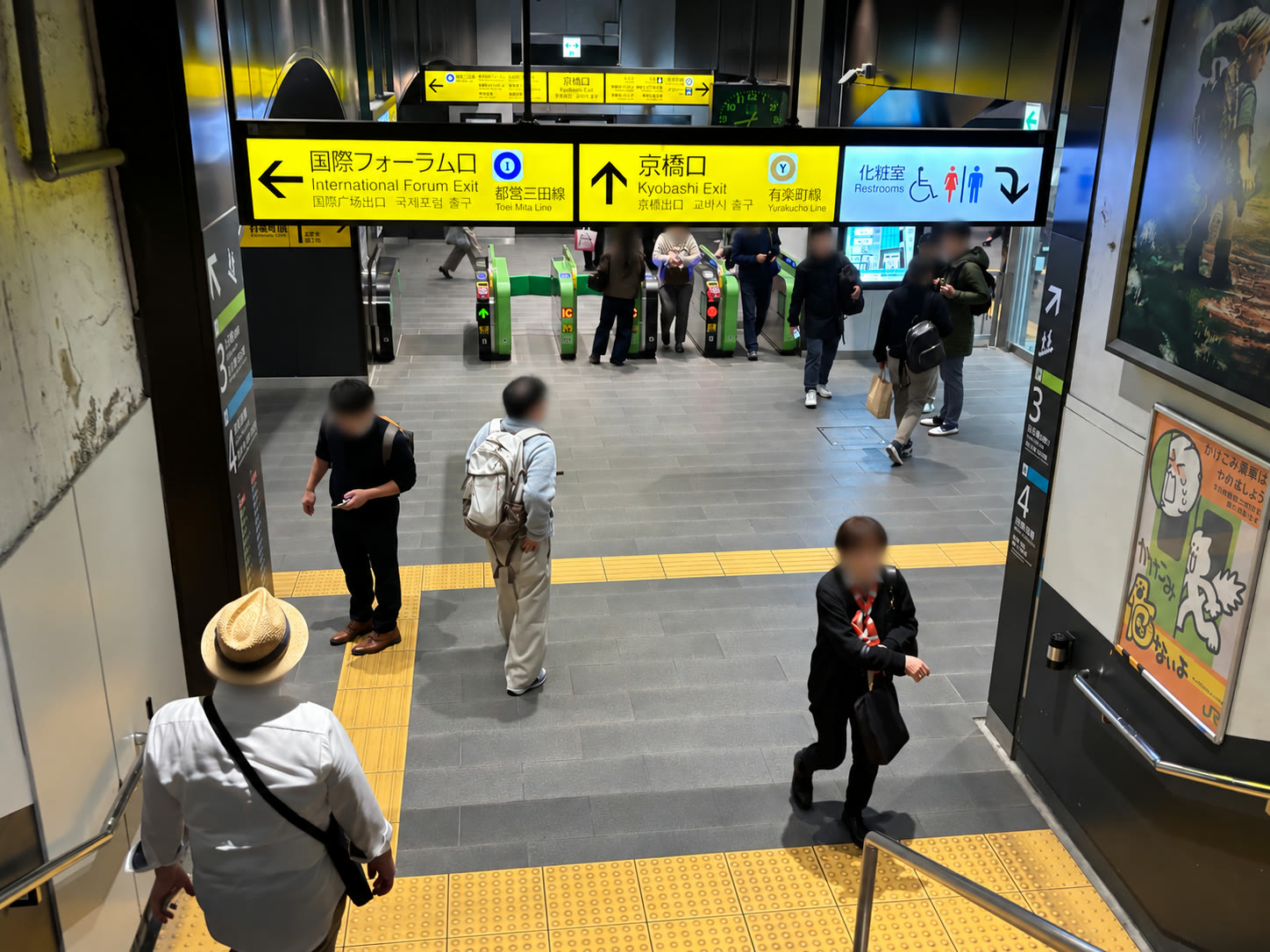
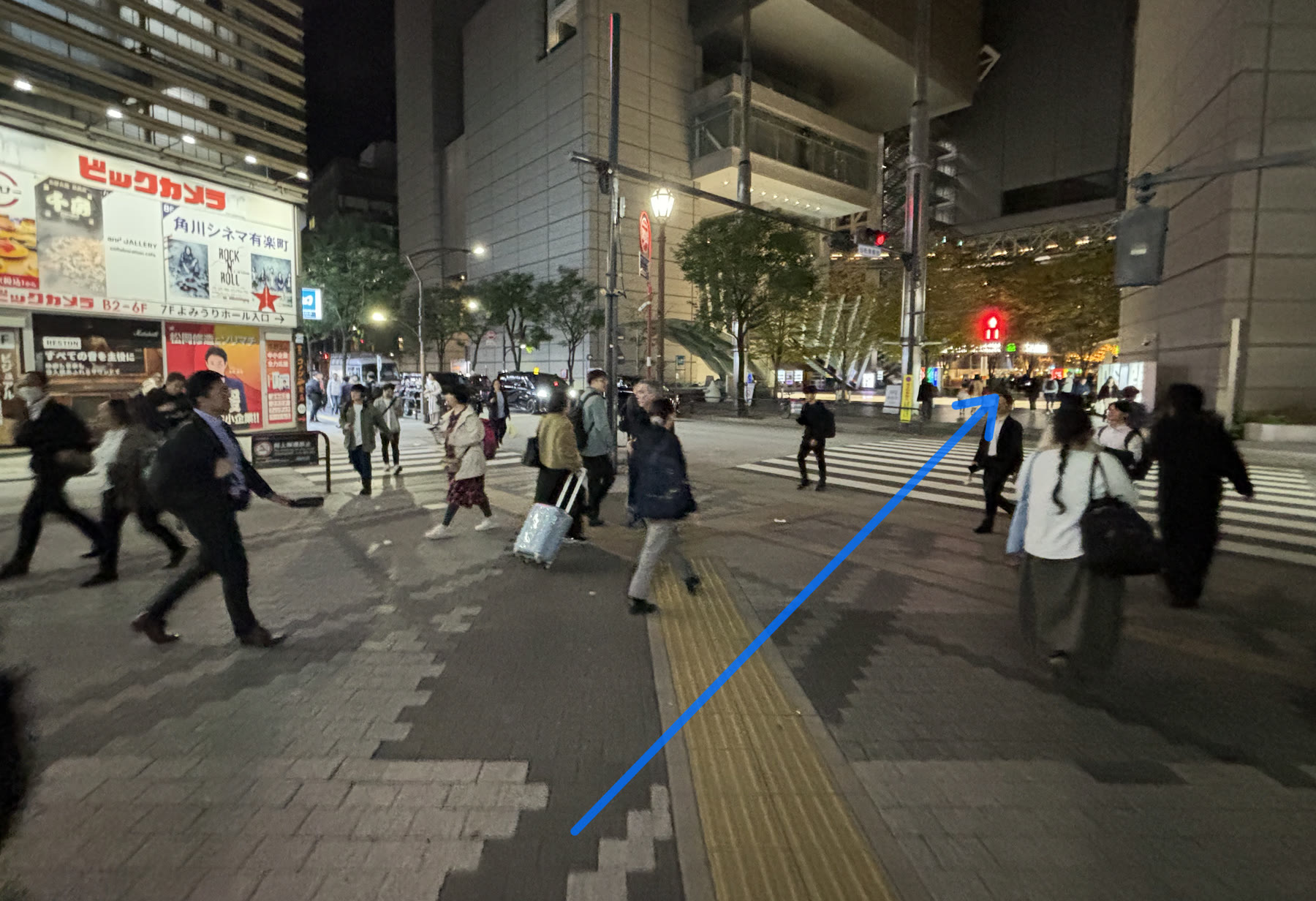
Outside the station, cross the signal directly in front of you. The Tokyo International Forum Ground Plaza begins on the other side.
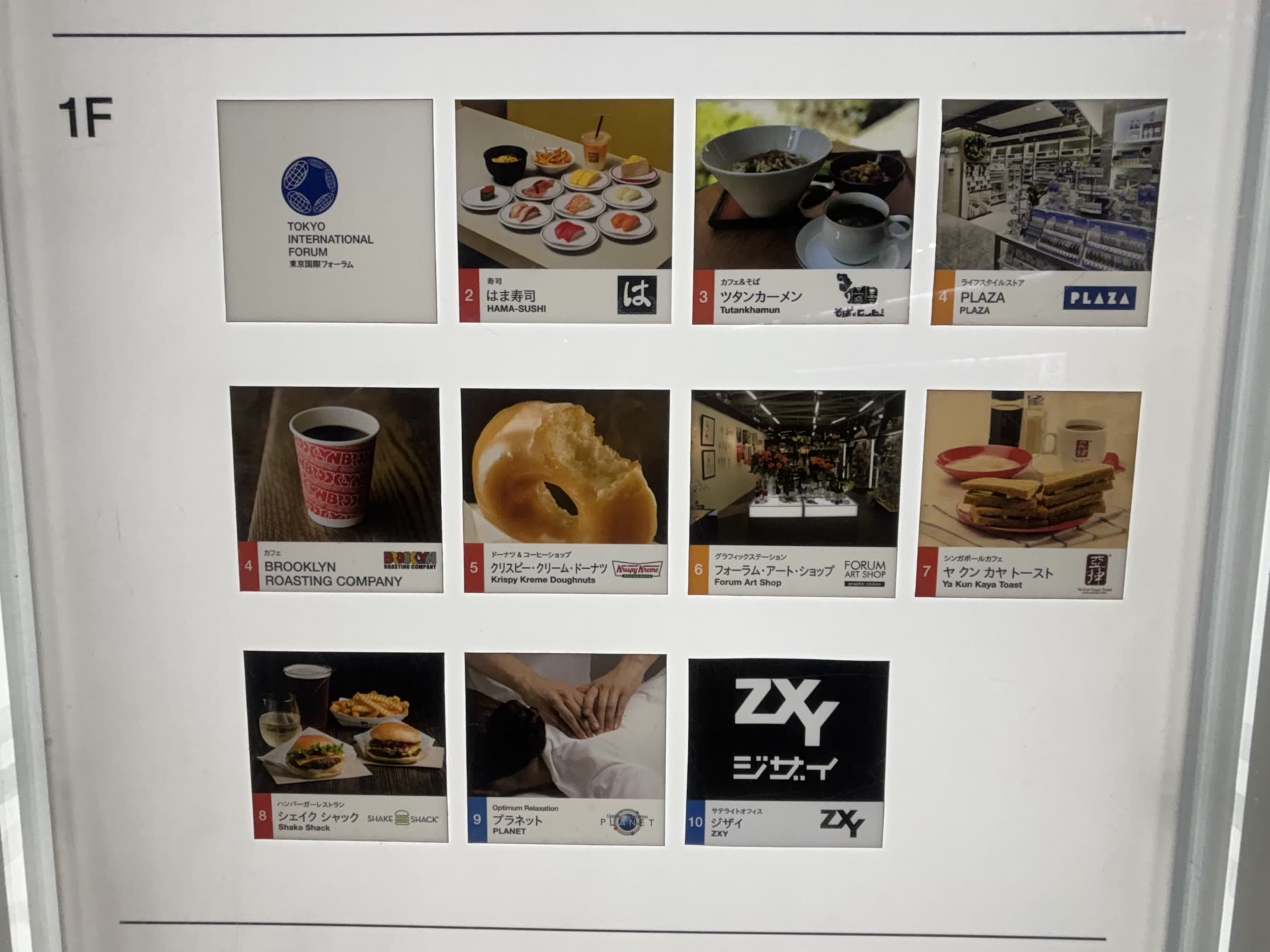
Check the 1F map just inside the plaza. On the map I photographed during the opening period, Hama Sushi was marked as No. 2 beside Block A. The current online shop directory lists it as No. 1, so the safest landmark is the restaurant name and Block A, not the number alone.
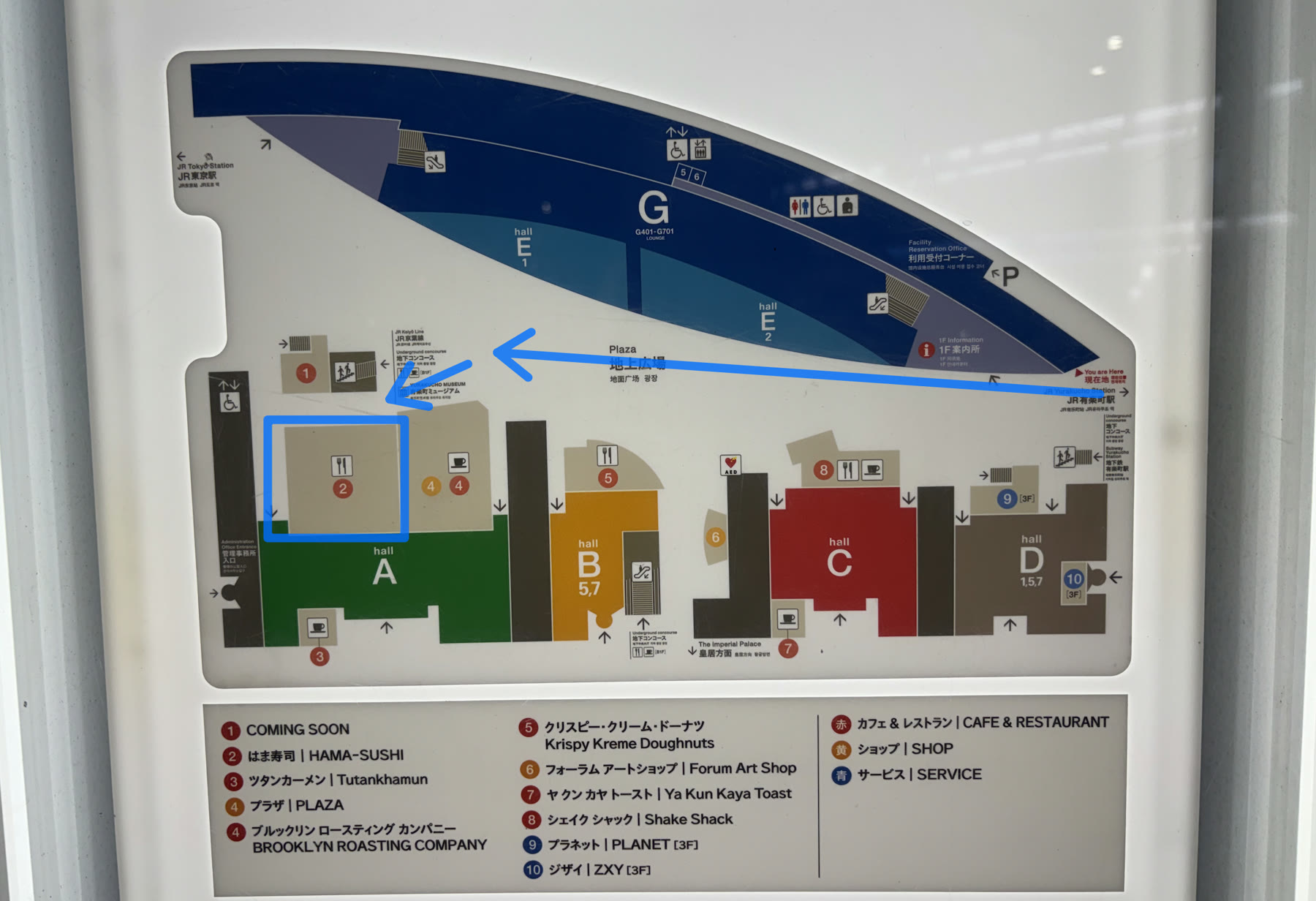
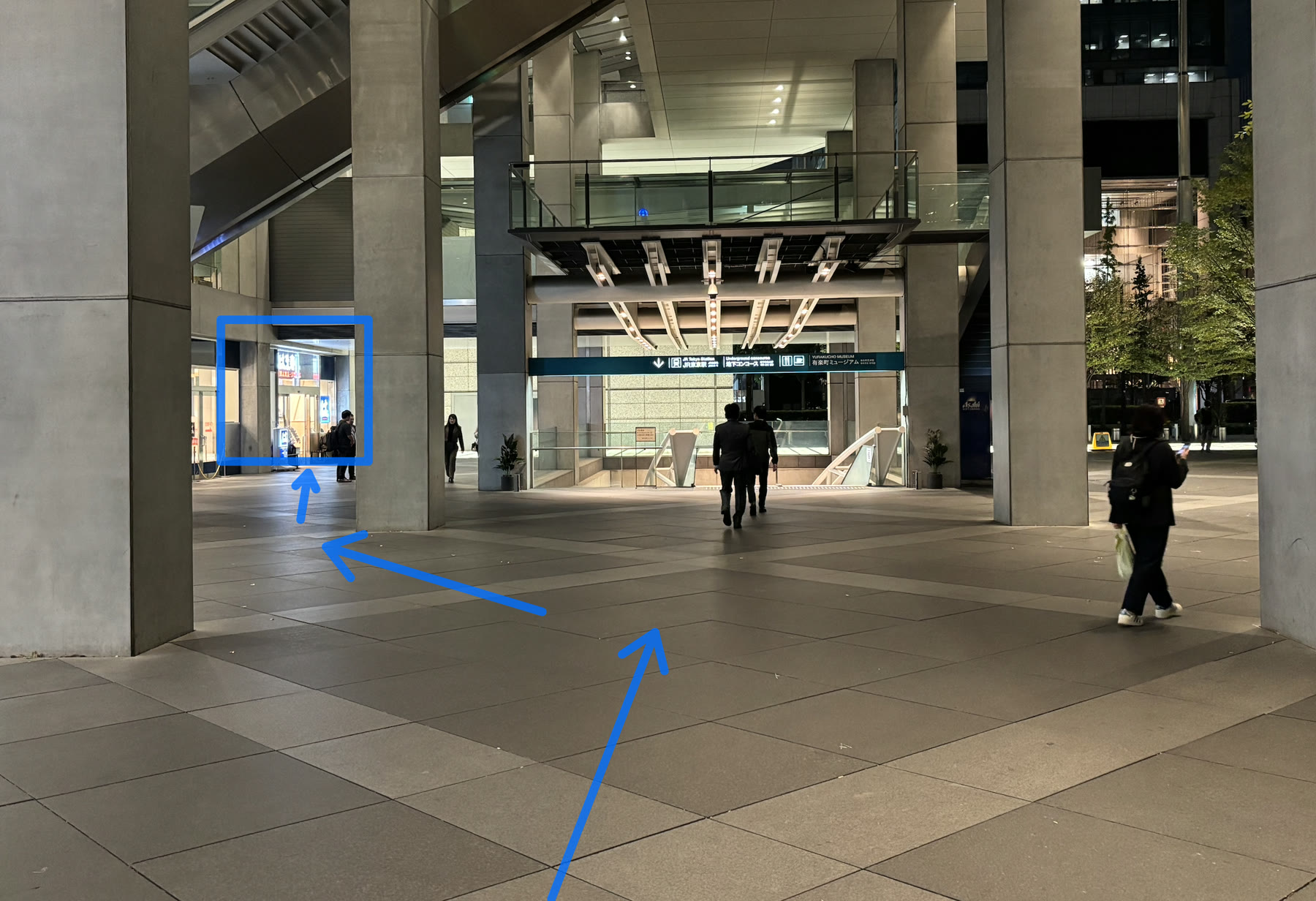
From the map, continue straight through the Ground Plaza. Near the far end, follow the blue arrow to the left; the illuminated Hama Sushi entrance is immediately ahead.
4. The entrance, opening hours, and my wait
The restaurant is on the Ground Plaza side of Block A, so you do not need to enter a ticketed hall. The large blue-and-white Hama Sushi sign is easy to see from the plaza.
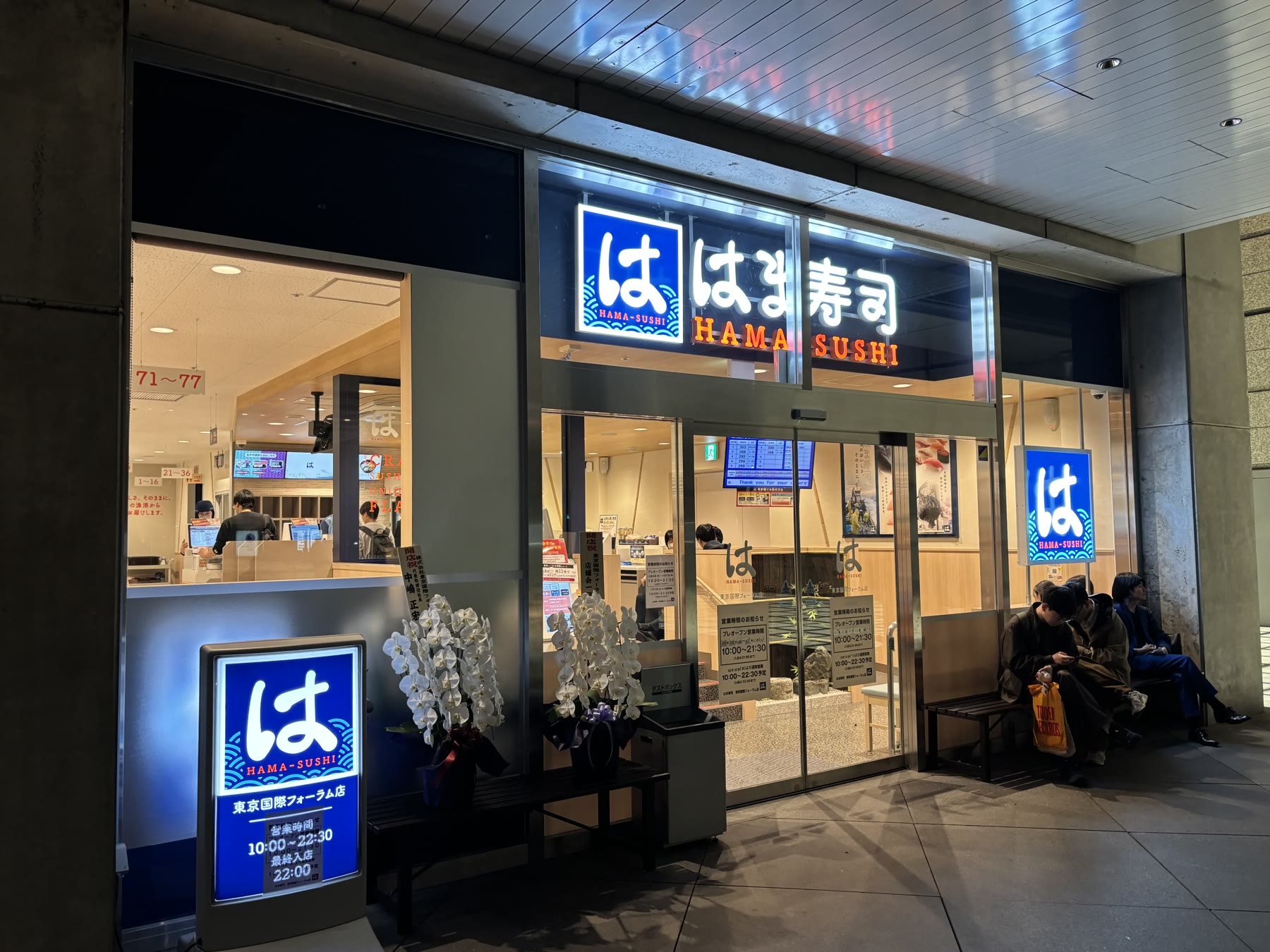
I visited at about 8:30 p.m. on a Friday, just after the branch opened. I saw about five parties waiting. That was much lighter than the queue I experienced at Sushiro Yaechika near Tokyo Station, but this was only one visit to a brand-new restaurant, not a promise of a short wait every evening.
The branch is in its pre-opening period from October 29 through November 11 and closes at 9:30 p.m.; last entry is 9:00 p.m. and last order is 9:15 p.m. Regular 10:00 a.m.–10:30 p.m. hours are scheduled from November 12, with last entry at 10:00 p.m. and last order at 10:15 p.m. Check the official branch page before a late visit.
5. How to check in and get a walk-in ticket
An English instruction board beside the entrance explains the same two paths shown on the reception machine: walk-ins choose Get Ticket, while guests with an app reservation choose Check In.
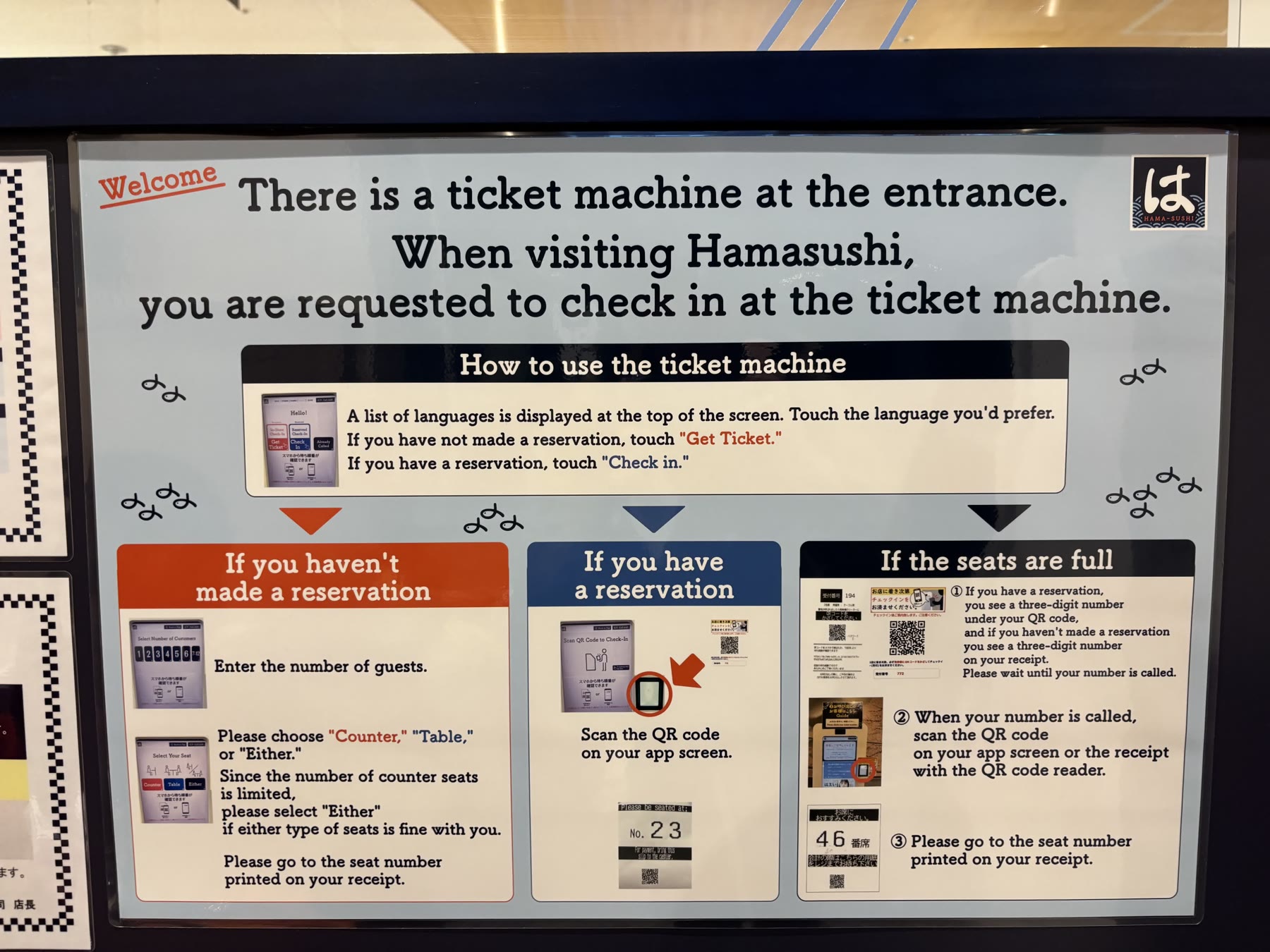
- 1Select your language
The top of the reception screen offers English, Japanese, Korean, Simplified Chinese, and Traditional Chinese.
- 2Tap In-Store Check-In / Get Ticket
Use the large walk-in button on the left if you do not have an app reservation.
- 3Enter the number of guests
Include everyone in the party, including children who need a seat.
- 4Choose counter, table, or either
Select the seating type you prefer. Choosing either can give the system more flexibility.
- 5Take the printed waiting ticket
Keep the ticket dry and visible. It shows your call number and the QR code you will scan later.
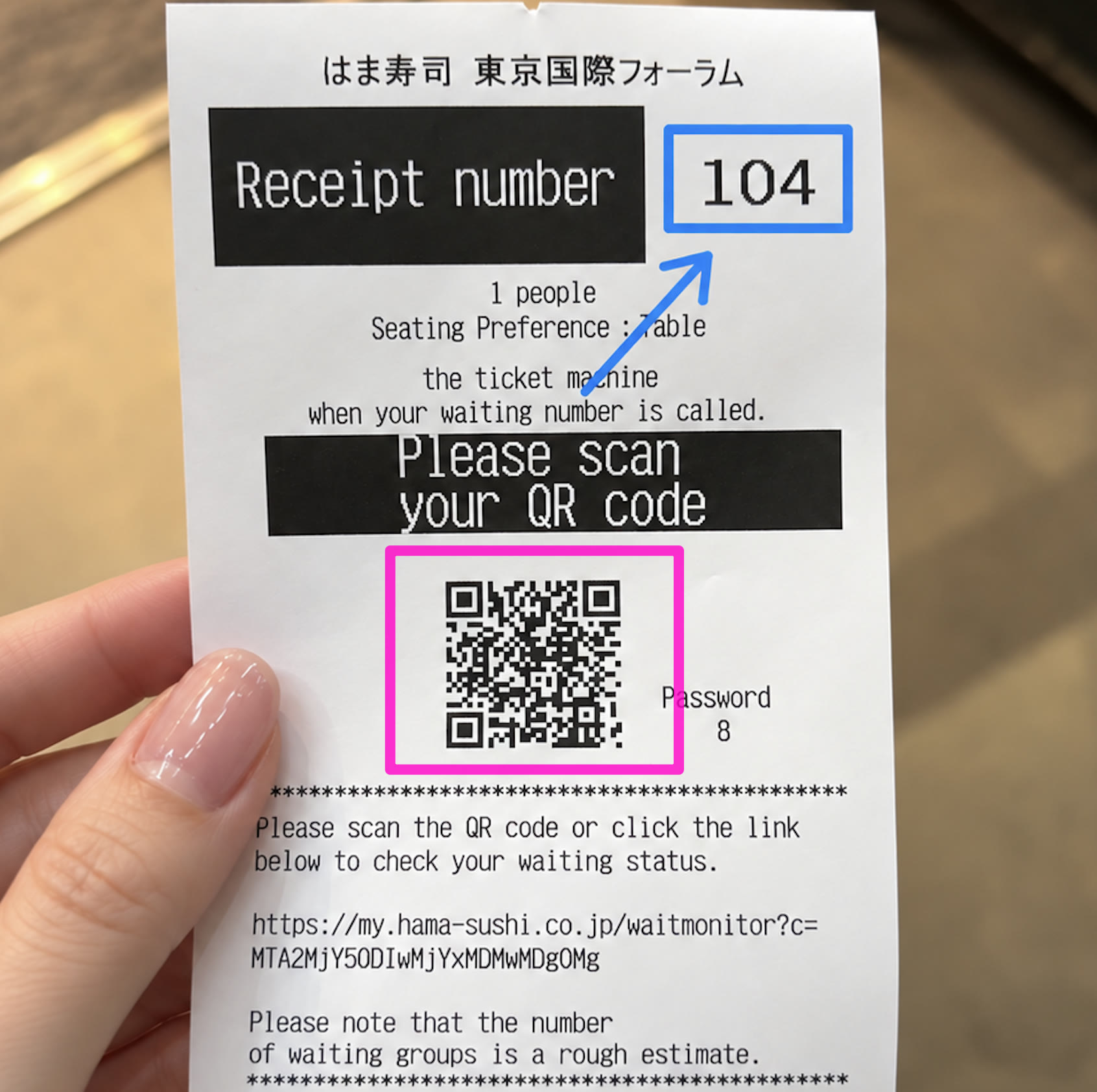
The waiting ticket includes a QR code and link for the wait monitor. The number of waiting groups is an estimate, and the call order can move, so stay close enough to return promptly.
6. How to read the call board
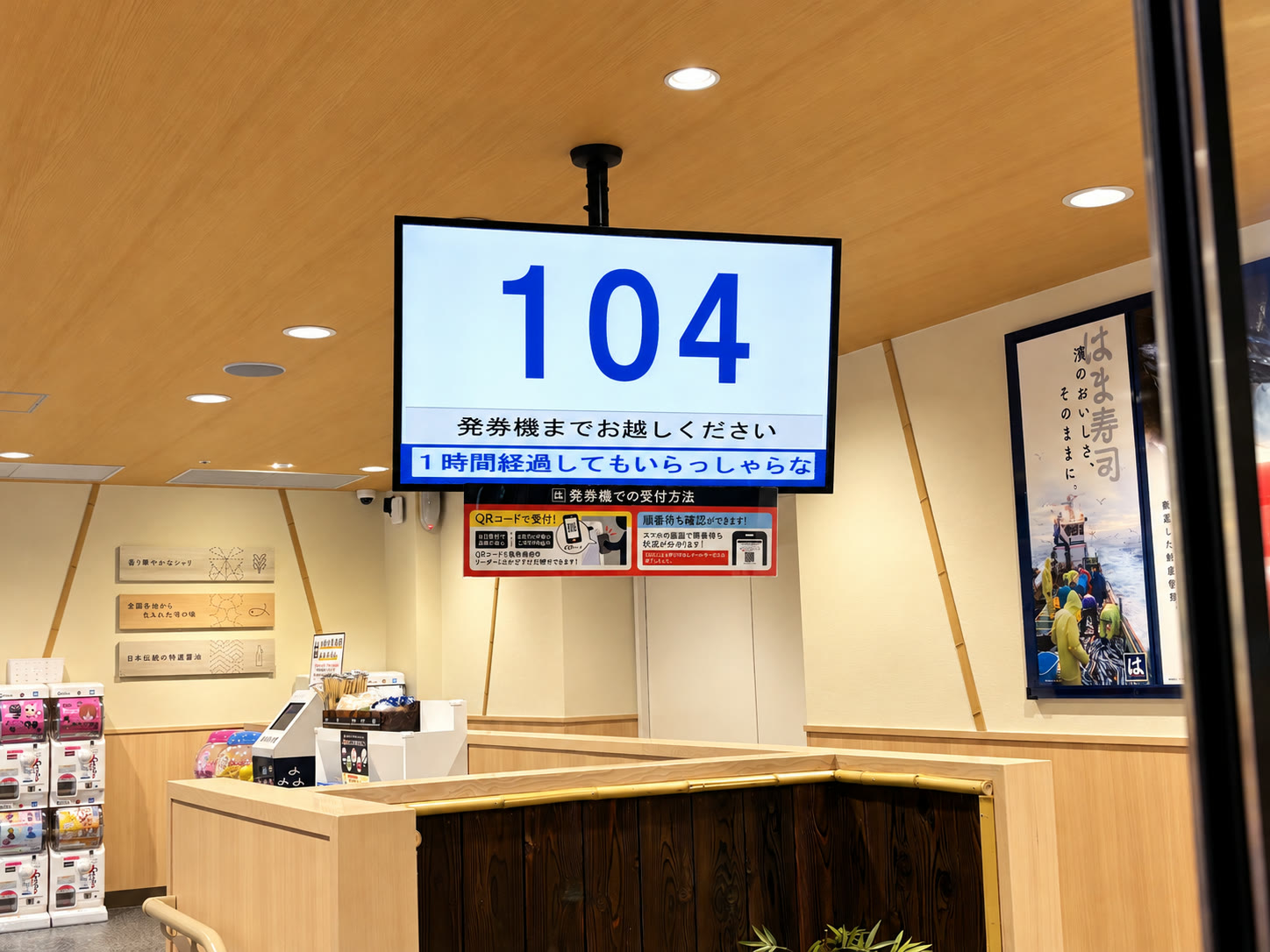
The large overhead screen shows the upcoming call order in the upper section. Read the positions from left to right: the system is showing call order, not simply sorting the smallest ticket number first. The screen also warns that a red number means check-in has not been completed, while the black numbers shown in the main queue have completed check-in.
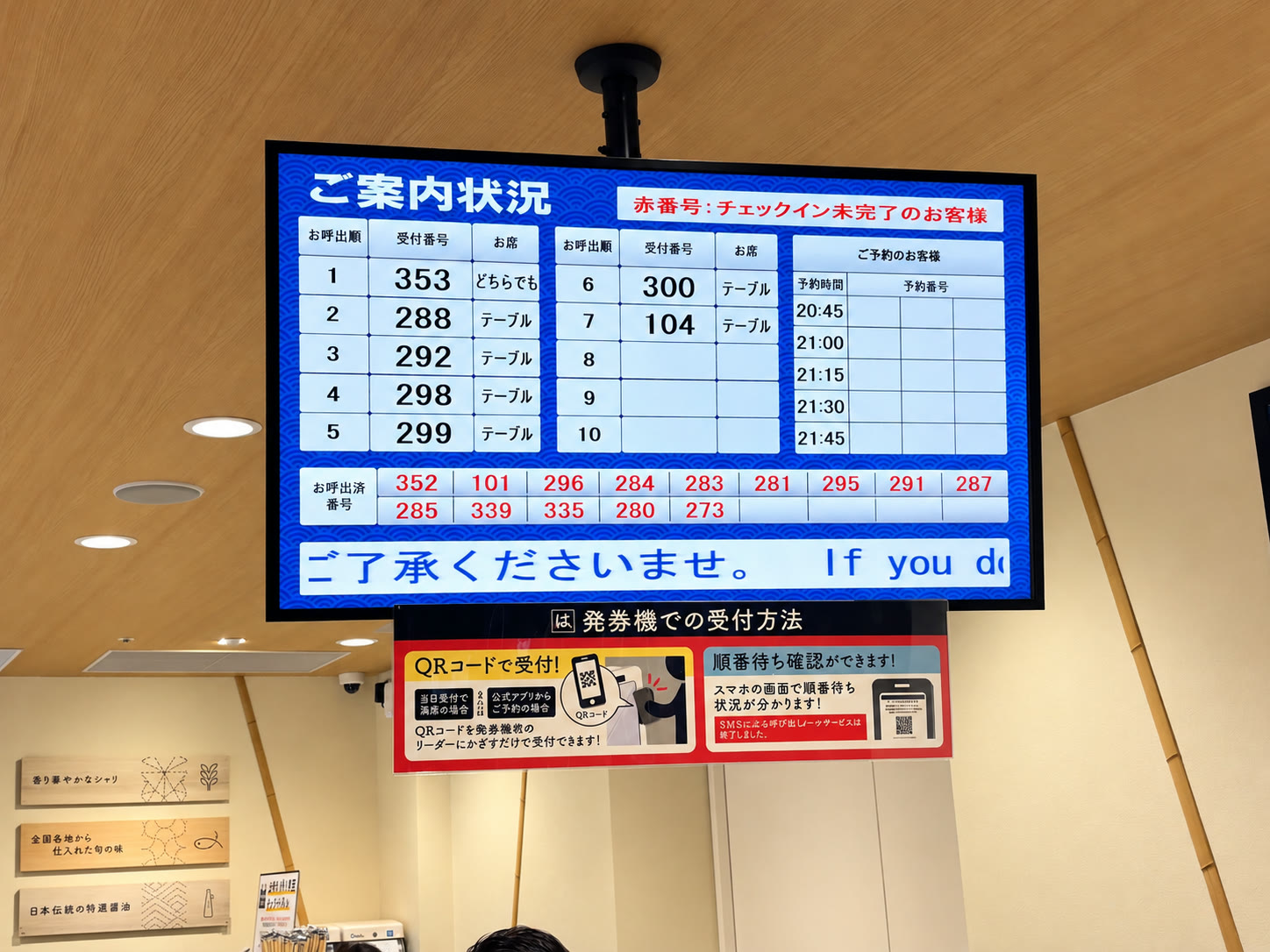
7. Scan the waiting ticket and find your seat
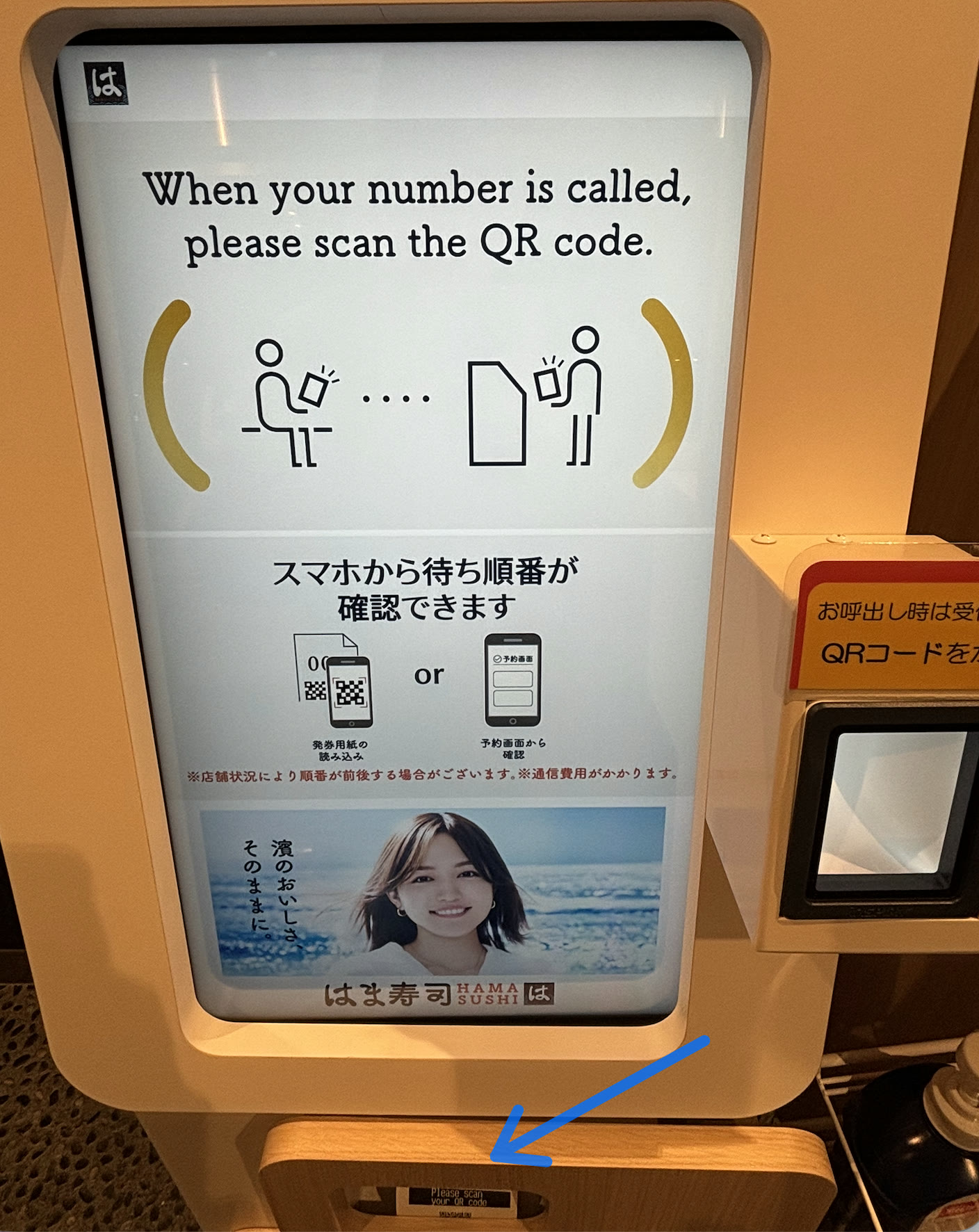
When your number is called, take the first ticket back to the machine. Hold its QR code over the reader beside the main touchscreen. The machine will print the second paper: your seat and payment ticket.
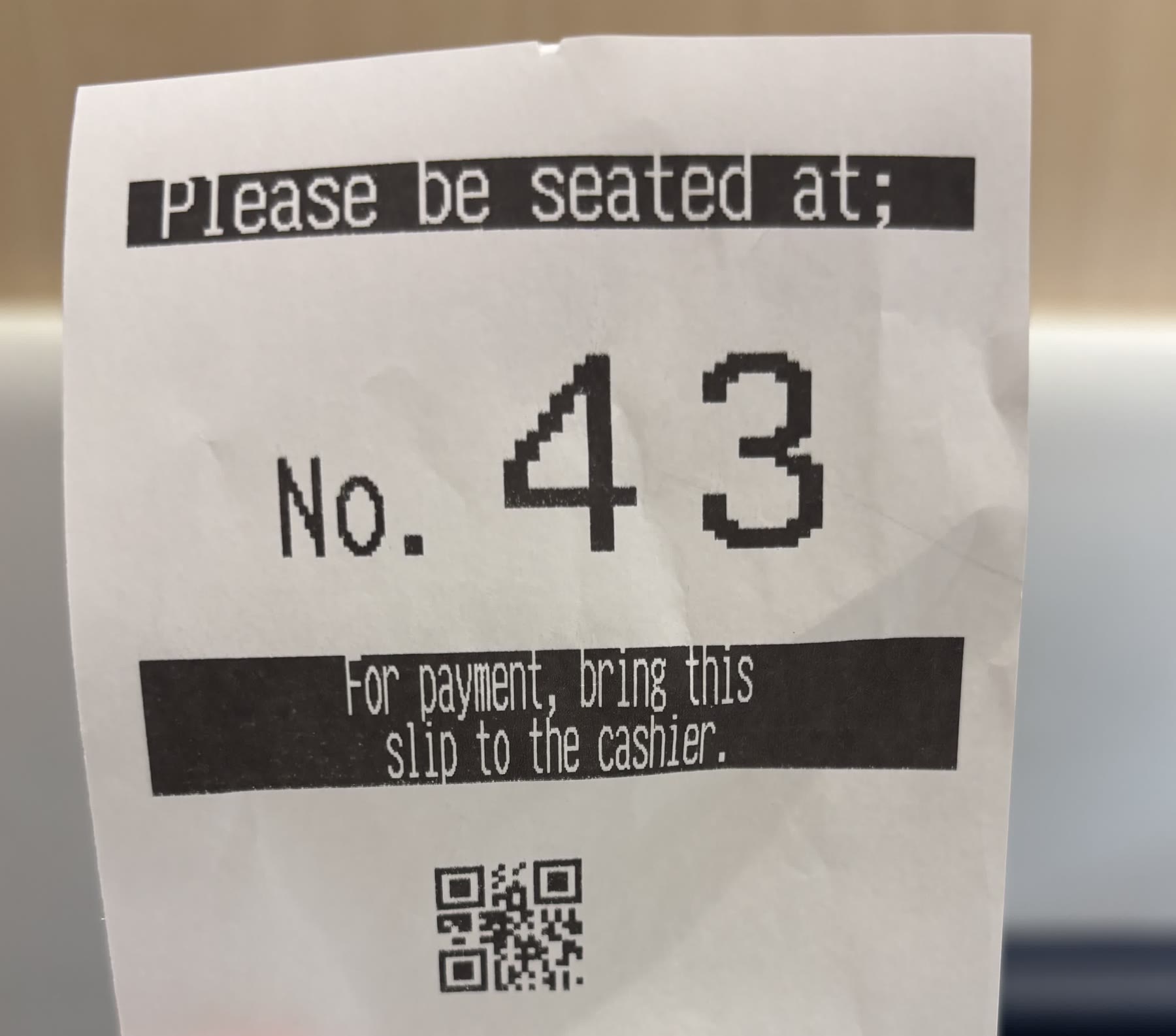
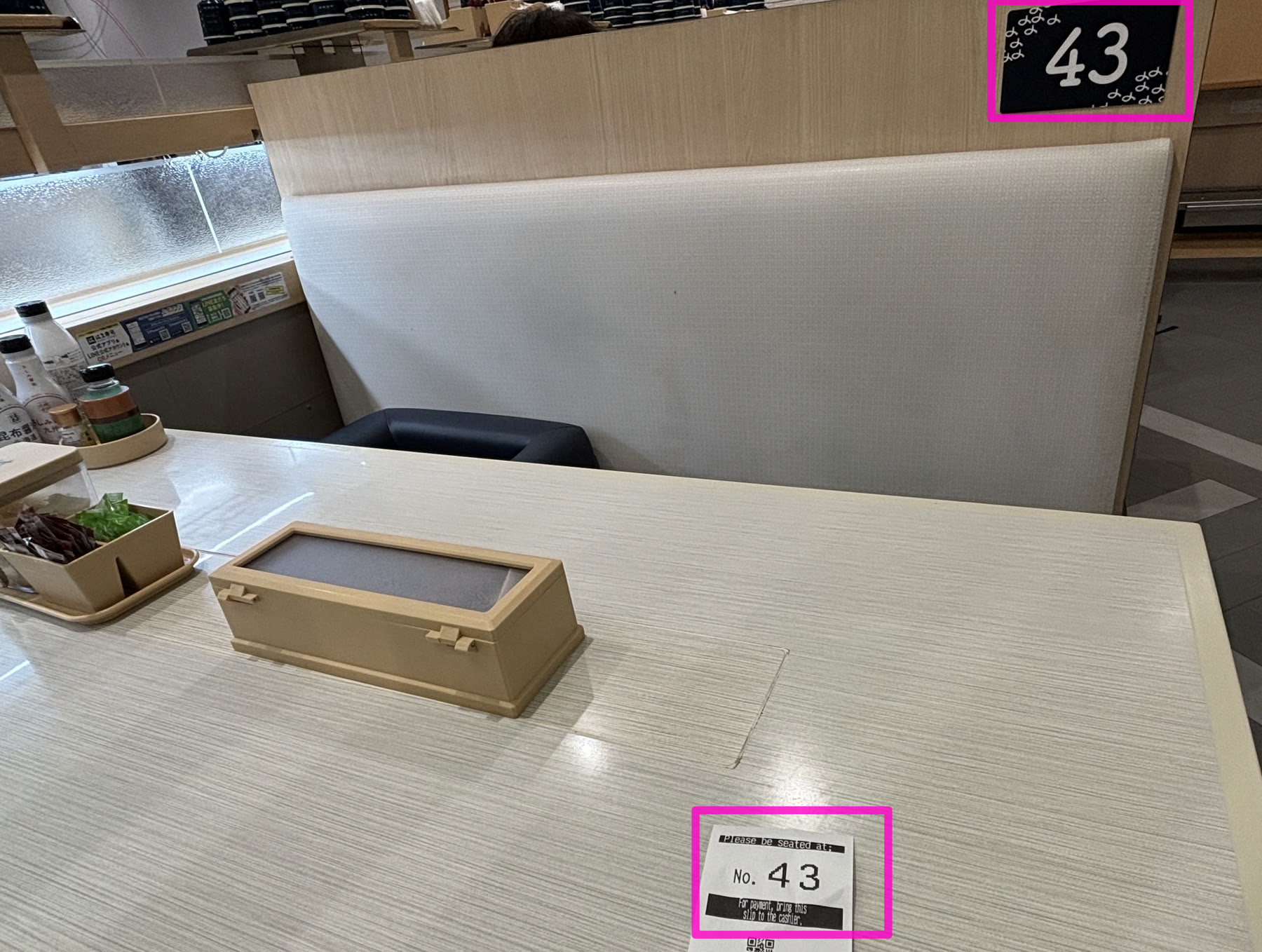
It tells you where to sit and identifies the bill at checkout. Do not confuse it with the first waiting ticket.
8. How to order sushi and check menu prices
Order from the touchscreen at your seat. If you have used the touchscreen in my Sushiro photo guide, the basic flow feels familiar: select a language, choose a category, tap the food photo, set the quantity, review, and place the order. This Hama Sushi branch officially lists both straight delivery lanes and lane ordering, so follow the arrival message on your screen and take only the items delivered for your seat.
- 1Choose a language
Switch before browsing if the home screen is not already in your preferred language.
- 2Open a menu category
Choose sushi, sides, noodles, desserts, drinks, or the current campaign menu.
- 3Select an item and quantity
Check the photo, description, and tax-included price shown for this branch.
- 4Confirm the order
Review the item and quantity before sending it to the kitchen.
- 5Watch for the arrival notice
The touchscreen alerts you when your order is delivered to your place on the lane.
The Tokyo International Forum’s official restaurant page currently gives these examples. They are a useful guide, not a complete menu.
| Example item | Price shown October 31, 2026 | What the official page highlights |
|---|---|---|
| Salmon | ¥143 including tax | Cut in the restaurant after ice-water thawing |
| Tuna | ¥165 including tax | Thawed carefully to retain flavor |
| Shrimp tempura sushi | ¥165 including tax | Fried after the order is placed |
| Hamachi | ¥209 including tax | Prepared in the restaurant; may change to buri seasonally |
Campaign dishes, portions, availability, and prices change. Use the amount displayed on the seat touchscreen as the final price during your visit.
9. How to pay
When everyone at the seat has finished, keep the second ticket and bring it to the cashier as printed on the slip. The official branch listing currently says that credit cards and cashless payments are accepted, including transport IC cards such as Suica and PASMO, several QR-code payment services, Rakuten Edy, iD, and QUICPay. Acceptance can change, so check the logos shown at the register if you are relying on one specific method.
Bring the seat-number ticket, not the waiting ticket
The seat ticket is the one printed after your waiting number is called and scanned. In my case, it showed seat No. 43 and the instruction to take the slip to the cashier.
Other conveyor-belt sushi near Tokyo Station
Hama Sushi is easiest from Yurakucho and had a lighter queue during my Friday-evening visit. Sushiro Yaechika is directly connected to the Tokyo Station underground area and has a different two-ticket and self-checkout process. See my Sushiro Yaechika: How to Find It, Order & Pay guide to compare the route and restaurant system before choosing.
10. Useful tips and quick FAQ
- Use Track 5 at Tokyo Station. It is the green Yamanote Line in the correct direction for Yurakucho.
- Choose “either” if seat type does not matter. Letting the system assign a counter or table may help it place you sooner.
- Keep both numbers separate. The waiting number tells you when to scan; the later seat number tells you where to sit.
- Watch the screen as well as listening. The restaurant can be noisy, and the visual call is easier to confirm.
- Do not rely only on the shop-directory number. Look for HAMA-SUSHI and Block A because the directory numbering changed after my photo.
Do I need a reservation?
No. Walk-ins can tap In-Store Check-In / Get Ticket. If you already reserved in the app, use the separate Reserved Check-In / Check In button.
Can I use the reception machine in English?
Yes. English is one of the language choices displayed at the top of the machine I photographed.
How long is the wait?
At about 8:30 p.m. on the Friday I visited, I saw roughly five parties waiting. That was an opening-week snapshot; the day, event schedule, and meal time can change the queue substantially.
Does the lowest waiting number get called first?
No. Follow the call-order positions shown on the upper board. In my photo, No. 104 appeared after several numerically higher tickets because the board was showing the actual call sequence.
What do red numbers mean?
The call board states that red numbers belong to guests whose check-in is not complete. Keep your ticket and follow the machine instructions if your number appears in red.
Can I pay with Suica or PASMO?
The official branch page currently lists transport IC cards as accepted. Payment systems can change, so check the register logos during your visit.
Is Hama Sushi walkable from Tokyo Station?
Yes. Tokyo International Forum says it is about five minutes from Tokyo Station via the Keiyo Line-side B1 connection. This photo guide instead uses the one-stop Yamanote ride because the route from Yurakucho’s International Forum Exit is very short and easy to follow.
I took all route, reception, ticket, and seating photos on October 30, 2026. I checked the address, temporary and regular hours, last-entry and last-order times, payment methods, lane type, and facilities against the official Hama Sushi branch page. I checked the location, current directory number, menu examples, and venue access against the Tokyo International Forum’s Hama Sushi listing, shop directory, and official access guide. I verified Tokyo Station’s platform numbers on the JR East station map and the daytime Yurakucho skip pattern in JR East’s current Keihin-Tohoku timetable. Hours, prices, screens, queue rules, and payment methods can change, so confirm the live display and official listing.